WWII Army Serial Numbers

Blog post banner WWII Army Serial Numbers
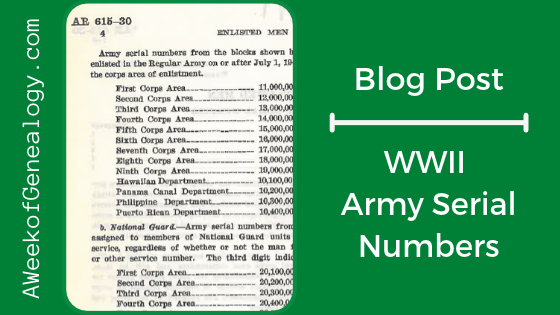
You already know that a WWII enlisted soldier’s Army Serial Number (ASN) is unique, but it can also reveal additional information. The first one or two digits can indicate whether the soldier served in the Regular Army, the National Guard, or was drafted. The next digit can identify the Corps Area or Overseas Department in which the soldier enlisted or was inducted.

The research for this post as been ongoing and detailed. This seemed a topic suitable for the week of Veteran’s Day.
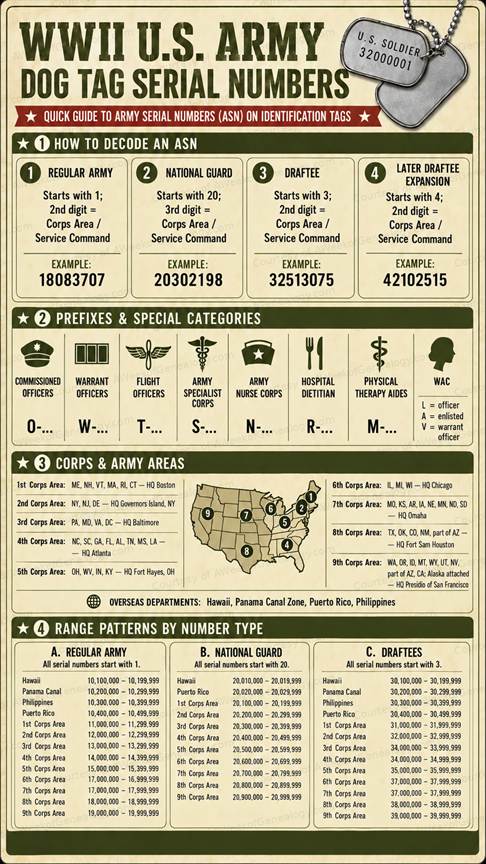
WWII US Army Serial Numbers Infographic
Layout done by ChatGPT from independent research

The Corps Areas and Overseas Departments

In 1940, the continental United States was divided into nine Corps Areas by the War Department had military administration, territorial command, and regional coordination. These areas were organized to represent approximately equal populations, with authority decentralized to Corps Area Commanders. Certain installations remained under direct War Department control. The nine Corps Areas were grouped within four strategic Field Armies. (The headquarters for each Corps Area is shown in parentheses.)

  • First Army included the First Corps Area (Boston), covering the six New England states; the Second Corps Area (Governors Island, New York), covering New York, New Jersey, and Delaware; and the Third Corps Area (Baltimore), covering Pennsylvania, Maryland, Virginia, and Washington, D.C.
  • Second Army included the Fifth Corps Area (Columbus, Ohio), covering Ohio, West Virginia, Indiana, and Kentucky; and the Sixth Corps Area (Chicago), covering Illinois, Michigan, and Wisconsin.
  • Third Army included the Fourth Corps Area (Atlanta), covering eight southeastern states; and the Eighth Corps Area (San Antonio), covering Texas, Oklahoma, Colorado, New Mexico, and part of Arizona.
  • Fourth Army included the Seventh Corps Area (Omaha), covering eight central states; and the Ninth Corps Area (San Francisco), covering nine western states, part of Arizona, and Alaska, which was administratively attached.
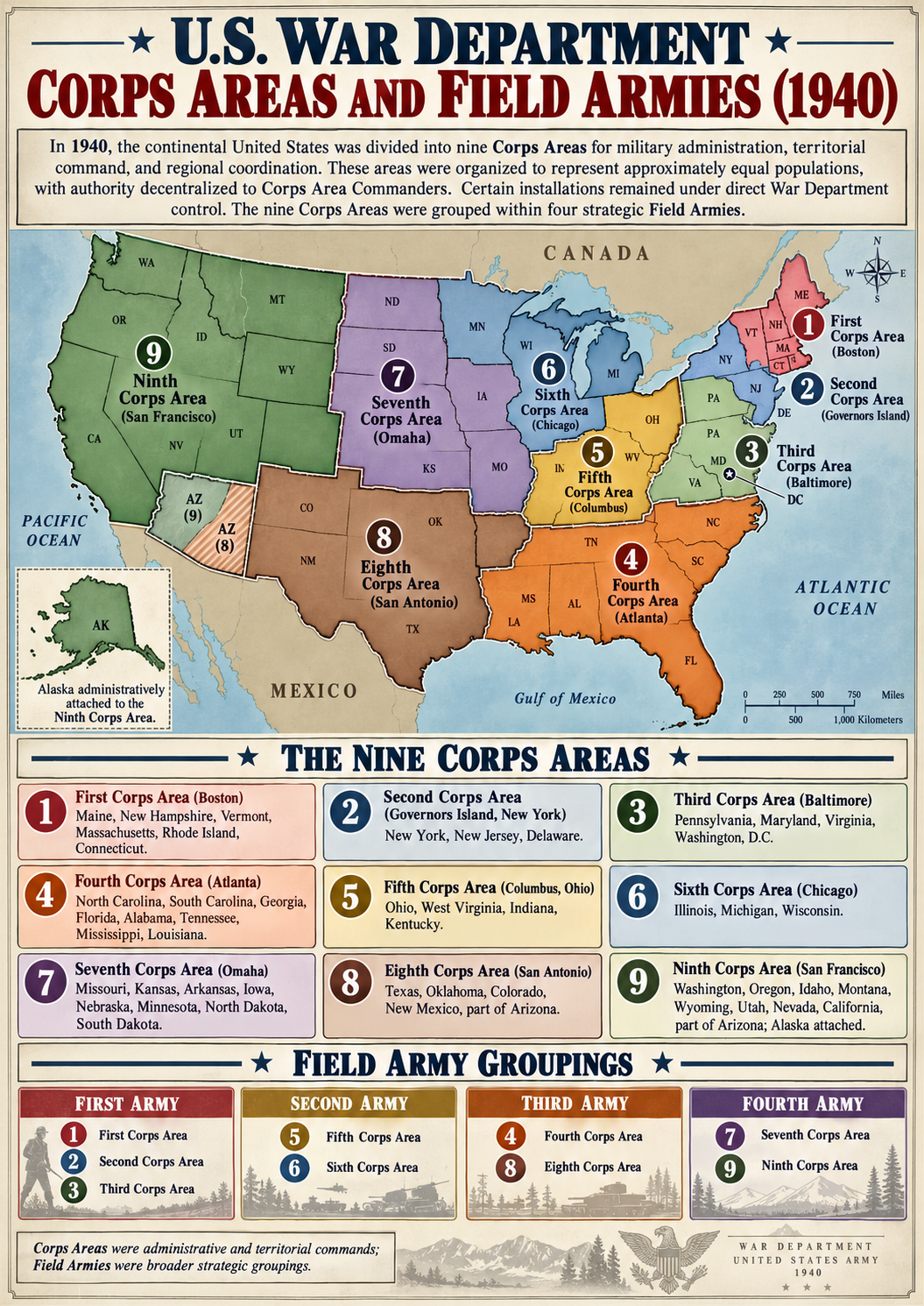
The Nine Corps Areas and Field Army Groupings (1940)
Corps Areas and Field Armies generated by ChatGPT from the Government Manual: Fall 1940

U.S. territories outside the continental United States were organized into four Overseas Departments: the Hawaiian Department (Fort Shafter, Hawaii), Philippine Department (Manila), Panama Canal Department (Quarry Heights), and Puerto Rican Department (San Juan). Each Overseas Department operated under a Department Commander responsible for territorial military administration and defense, except for installations controlled directly by the War Department. Unlike domestic Corps Areas, these departments could also assume civil responsibilities during emergencies.
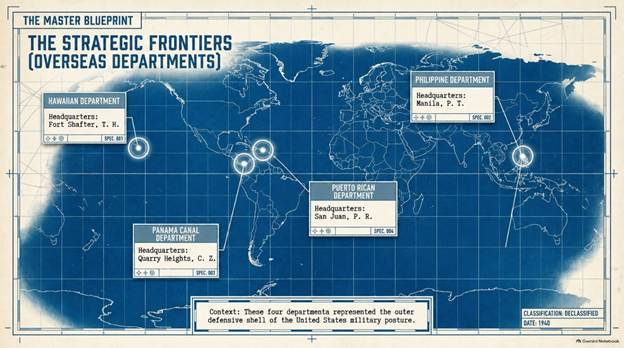
The Overseas Departments (1940)
Overseas Departments generated by Google Notebook from the Government Manual: Fall 1940, Corrected by ChatGPT

Now that you know how to decipher the dogtag numbers, you can verify how the soldier entered the Army, and from which of the 9 Corps Areas and 4 Overseas Departments.

The Prefixes

If there is a prefix, you can determine if the soldier is an officer, a female, or that the soldier had a specialty.

There may exist other prefixes beyond what is shown in the infographic, but I am still hunting for contemporary sources for them. Without having those contemporary sources, CS- for contract surgeons, and for Army Scouts prefixes have been omitted from the infographic and tables.   

Special thanks for their efforts and answers to questions go to: the Archivists at the Ridgeway Library at the U. S. Army Heritage and Education Center, and the Senior Historian at the Army Medical Department Center of History and Heritage.

Sources

NARA, “WWII Army Casualties: Utah,” https://www.archives.gov/research/military/ww2/army-casualties/utah.html

Smithsonian Institution, National Museum of African American History and Culture, “Identification tags worn by Lt. Louise Lomax,” https://nmaahc.si.edu/object/nmaahc_2022.42.3

United States. Office of Government Reports, Information Service. United States Government Manual: Fall 1940. https://www.govinfo.gov/app/details/GPO-GOVMAN-1940-09-01.

United States War Department, Enlisted Men: Army Serial Numbers, Army Regulations (AR) 615-30 (Washington, D.C.: War Department, 12 February 1942).
Using Navy Cruise Books in Your Research

Blog Post banner Using Navy Cruise Books in Your Research

If you have a military service member in your family, then you might know about cruise books. In my home, there is a USMC Cruise Book that captures stories and images about my husband’s squadron’s overseas deployment and the trans-Pacific flights to get there and back.

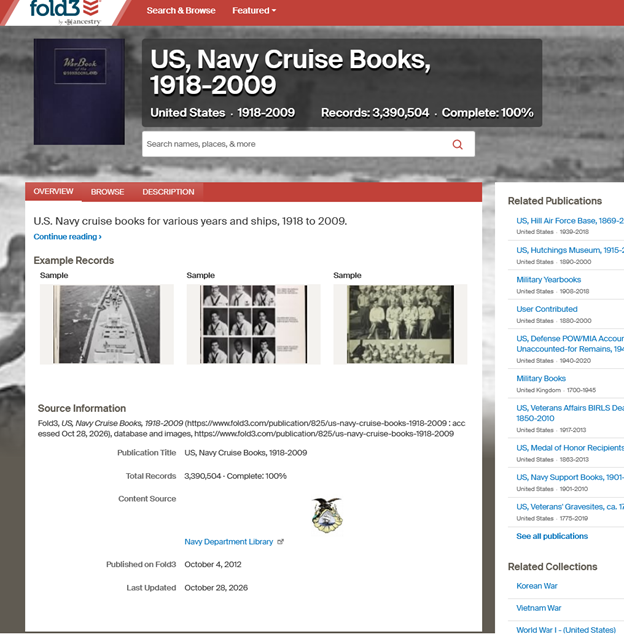
Fold3 has a Publication that contains these books: US, Navy Cruise Books, 1918-2009. Whether you are researching a Sailor or Marine who served on a ship, or an Army soldier who traveled by ship, you might want to give this resource a try.

As much as these book are part of the story of each crew member on a ship, they are tell part of the story of anyone who traveled on these ships. That means that these books also relate to the U.S. Army troops who were transported. Even though the service member’s name will not appear, the name of the military organization to which they were assigned will.

If you know the ship’s name you can search for her in this Publication. You can also search for the name of a military organization, as well as the names of Sailors and Marines.


Example: WWI

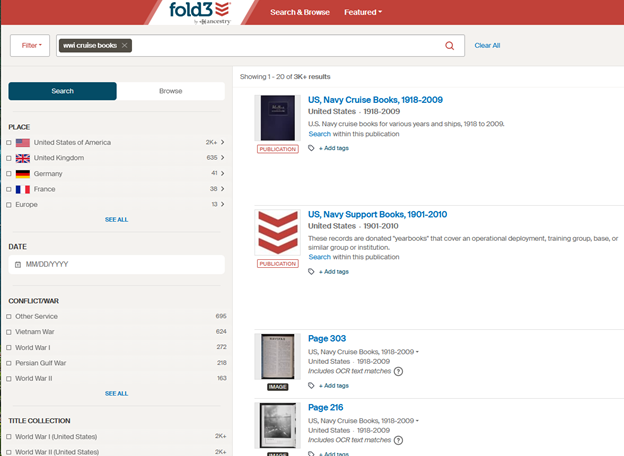
In the Home Page search box, I entered the keywords: wwi cruise books. That brought me to the Search & Browse page.

Fold3 Search & Browse page

I selected the Publication that is the first result.

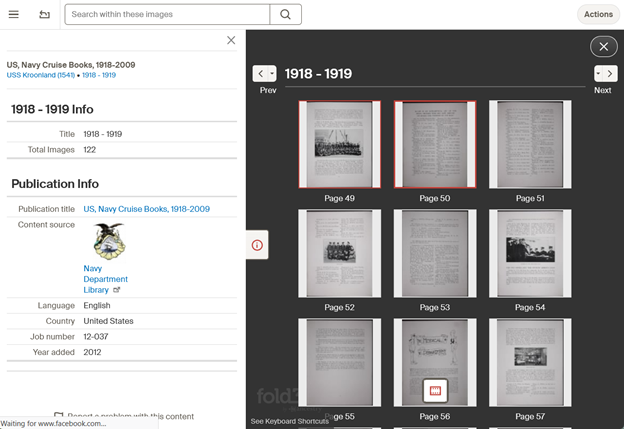
Fold3 Publication US, Navy Cruise Books, 1918-2009

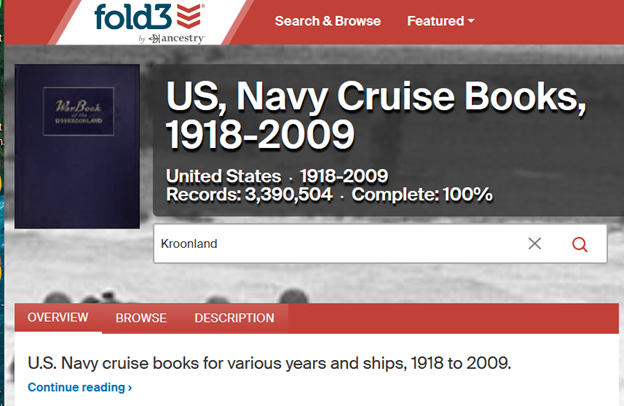
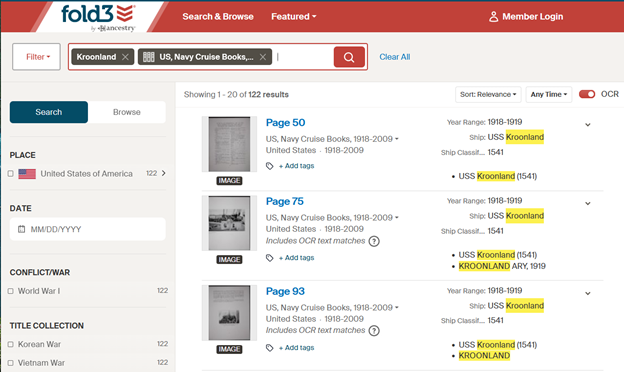
Knowing that the 51st Pioneer Infantry Regiment had traveled on USS Kroonland, I entered the ship’s name in the search box on the Publication page, as a keyword. (Searching for a ship by name is not suggested, but you can always experiment.)

Another option would be to search for the keyword: Kroonland on the Home Page.

Once you find one page of the book in the search results, you can find the rest of the book from the a viewer page by clicked on the filmstrip icon.

View all the pages where the search result appears.

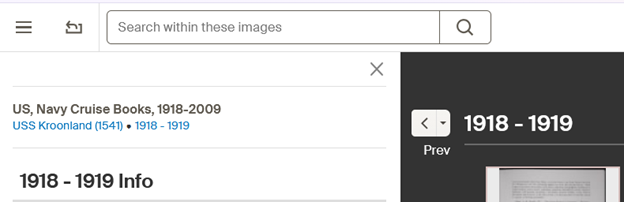
You can also search within these images.

Box to Search within these images

There were four pages about the Atlantic crossing that was made by 51st Pioneer Infantry Regiment (except Company A).

Fold3 did not have cruise books for the other crossings made by the 51st Pioneers.


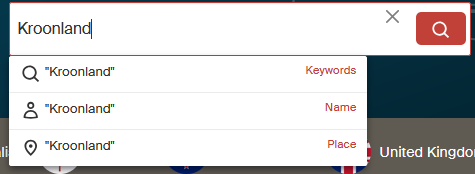
The way that a search term is used can affect the results of the search. As you type in a search term, facets appear for: Keywords, Name and Place. (If you type in a number, Year would also appear.) Select the facet from the dropdown menu to let Fold3 how to use the search term.

Fold3 search
  • Kroonland as a Keyword returned pages from the cruise book.
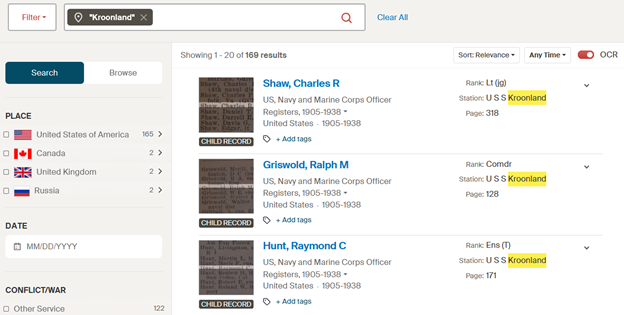
  • Kroonland as a Place refers to a Station, and search results are returned for people stationed on USS Kroonland.
  • Kroonland as a Name returned no results.

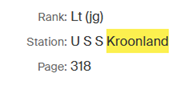
Kroonland as a place refers to a Station, which means that the results might contain Sailors or Marines who were assigned to USS Kroonland.

Fold3 search result for Station
Fold3 Kroonland searched as a place

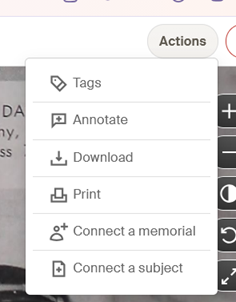
To download an image, use the Action menu. You will be given the choice to download the Entire Page, or Select a Portion. (I recommend selecting the Entire Page for context.)

Each image of a page needs to be downloaded separately. You can download the pages that interest you, or for context, all the pages of the book. If there have been any annotations made to the page, you will have the option to download the image with or without annotations made by other users. Although I consider the annotations to be important part of this platform, when I downloaded images with the annotations they appeared across the page, obscuring parts of it. The filename for an image that included the annotations also had a less than useful name. I recommend keeping track of the annotations that apply to your search targets separately.

You will be asked to select the download format. JPG is always offered, but in some cases there is the option to download the image as a PDF file.


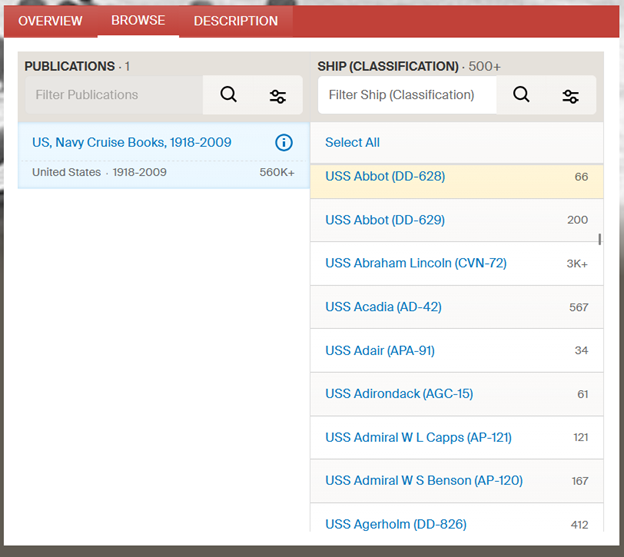
You can also browse from the Publication page where you can filter on the names of the ships. Scroll down in the Ship (Classification) Column to view the names of the ships included in the Publication.

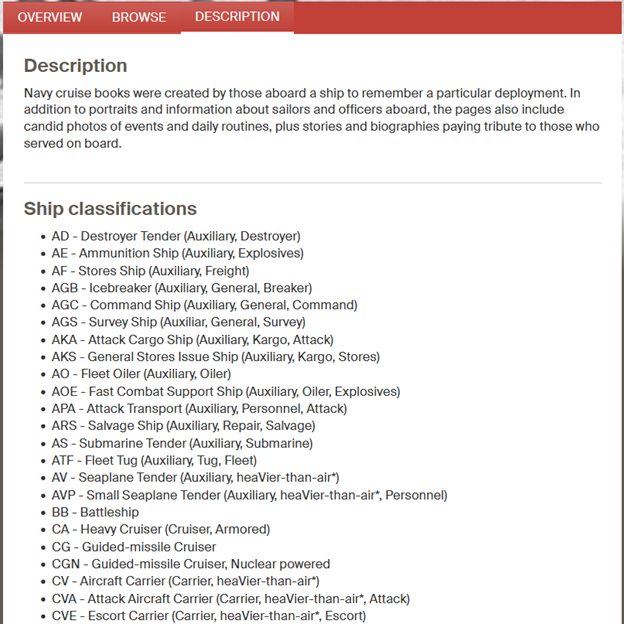
Select the Description tab to see the Ship classifications.


You can also search for the names of Sailors and Marines that appear in the pages of these cruise books. In the Publication page search box, or on the search page.

Example: Vietnam War

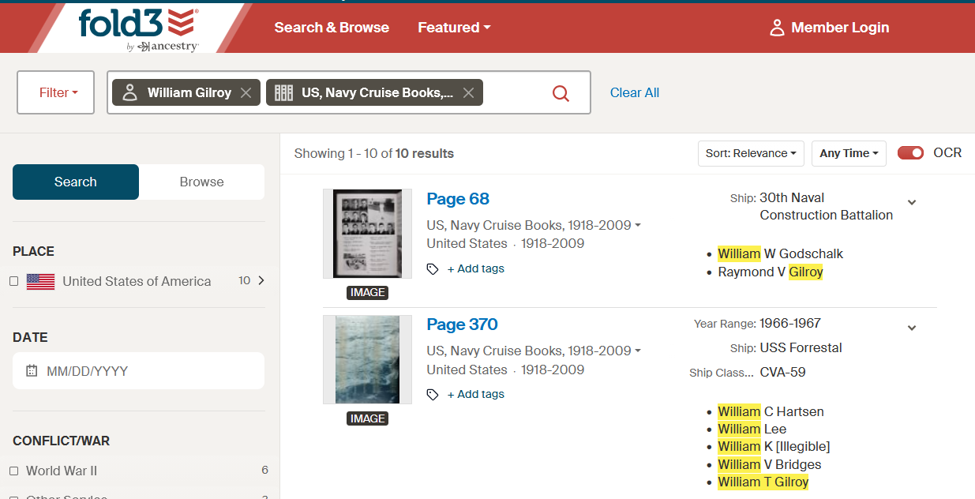
Fold3 search results for Sailor's name


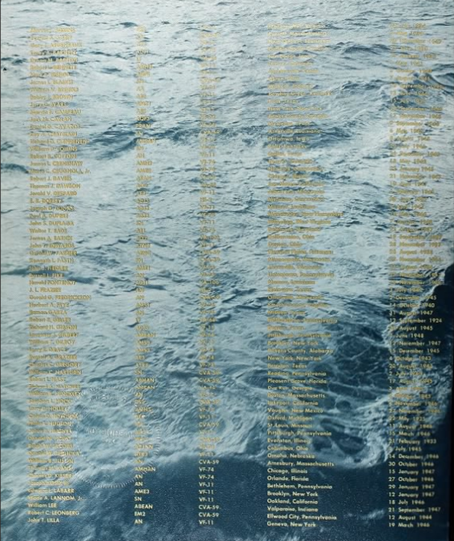
The second result included my cousin’s name. He died in the fire on USS Forrestal 29 July 1967. Two pages listed the 134 sailors who died in that fire. The prior page was in memoriam of those men, and included “The Captain’s Prayer.”

Page from USS Forrestal Cruise Book 1967

Clicking on the filmstrip icon to see the rest of any cruise book is worthwhile. In this case, the events of the day were documented. Among the pages were the messages sent from the other ships, including a British ship and a message relayed from the Brazilian Navy, with sympathies and specific offers of help.

Good luck using these! Let me know how you do.

WWII A Pocket Guide to…

Blog Post banner WWII A Short Guide to…

NOTE: Historical Content Advisory: The World War II publications discussed in this blog post reflect the language, attitudes, cultural assumptions, and stereotypes of the era in which they were written. Some descriptions of nationalities, ethnic groups, religions, and local customs may be considered inaccurate, offensive, or inappropriate by today’s standards. These materials discussed and linked to are presented in their original historical context for educational and research purposes. Their inclusion does not constitute an endorsement of the views expressed, nor should the guides should be evaluated as evidence of contemporary American military perspectives. Rather, they provide valuable insight into how the U.S. military portrayed other countries and cultures to American service members during World War II.

If you enjoy reading materials from WWII, you may find these short books especially rewarding. They offer a glimpse into how these places were described and understood at the time. If you are researching a soldier who was stationed in a location featured in one of these guides, consider that they may have held a copy of the very same book, turned its pages, and used its descriptions to explore unfamiliar surroundings. Reading one today offers a small but tangible connection to the world as they experienced it.

The series titled A Pocket Guide to…(1942-1945) and A Short Guide to…(1942-1944) were small, government-issued booklets prepared during WWII Published by the U.S. War and Navy Departments. These guides were intended to help servicemen understand unfamiliar cultures, communicate with local populations, observe local customs, and represent the United States appropriately overseas. They were written in a conversational, accessible style to introduce American military personnel to the countries where they might be stationed. These two publications are frequently grouped together in library catalogs under the Army Service Forces, Special Service Division.

Rather than being conventional tourist guides or military field manuals, they offered practical travel information, cultural orientation, elementary language instruction, historical background, and guidance on personal behavior. The booklets contained information about a country’s history and geography which included political circumstances. There was information about cultural customs which addressed local traditions, social expectations, etiquette, religion, and behavior that Americans of the time might find unfamiliar. The guides contained brief language help with common expressions, pronunciation guides, and practical vocabulary. Soldiers are challenged to build relationships to help German people join the world’s useful citizens by their behavior.

Although they contain stereotypes there is often interesting advice that addresses respect for the people who are met included in the content. The reader was advised to practice good military conduct by interacting respectfully with civilians, avoiding misunderstandings, and maintaining goodwill.

The Pocket Guide to Germany, published in 1944, begins in a serious tone with its first sentence: “Whether you fight your way in, or march in to occupy Germany under armistice terms, you will be doing a soldier’s job on the soil of the enemy.” It contains material about being vigilant, German propaganda about America and Americans, considerations when marrying a foreign girl, and a larger language guide

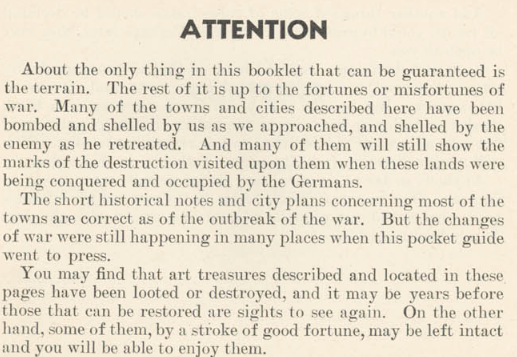
Some of the pocket guides are similar to the format of the small American Service Edition (ASE) books. You can read more about them in our blog post What WWII Military Ancestors Were Reading. These were truly touring oriented books for military personnel, with titles such as: Pocket Guide To The Cities Of Belgium And Luxembourg, Pocket Guide To Paris And The Cities Of Northern France, Pocket Guide To The Cities Of Southern France, Pocket Guide To Italian Cities, Pocket Guide To The Cities Of Denmark, and Pocket Guide To The Cities Of Norway. All of these had the same Introduction:

Attention statement in Introduction to A Pocket Guide to...
Click to see a transcription

ATTENTION

About the only thing in this booklet that can be guaranteed is the terrain. The rest of it is up to the fortunes or misfortunes of war. Many of the towns and cities described here have been bombed and shelled by us as we approached, and shelled by the enemy as he retreated. And many of them will still show the marks of the destruction visited upon them when these lands were being conquered and occupied by the Germans.

The short historical notes and city plans concerning most of the towns are correct as of the outbreak of the war. But the changes of war were still happening in many places when this pocket guide went to press.

You may find that art treasures described and located in these pages have been looted or destroyed, and it may be years before those that can be restored are sights to see again. On the other hand, some of them, by a stroke of good fortune, may be left intact and you will be able to enjoy them.

At the end of the Introduction to these versions was a statement encouraging service members to see what they could now, rather than pay more money to travel after the war:

End of Introduction to A Pocket Guide to...
Click to see a transcription

Anyhow, so far as your military duties permit, see as much as you can. You’ve got a great chance to do now, major expenses paid, what would cost you a lot of your own money after the war. Take advantage of it.

Quite a few can be located on the internet, with a good selection at the Internet Archive. The link to our Week Of Genealogy list is https://archive.org/details/@awog/lists/5/wwii-a-pocket-guide-to-

The Navy History and Heritage Command hosts Pocket Guide to New Guinea and the Solomons at: https://www.history.navy.mil/research/library/online-reading-room/title-list-alphabetically/p/pocket-guide-new-guinea-solomons.html

Others can be read at HathiTrust, but to download the whole book you need to be affiliated with a member institution.

1945 Morning Reports Are Online…On Fold3

Blog Post Banner 1945 Morning Reports Are Online…On Fold3

1945 morning reports are online now. There are on Fold3, and not in the NARA Catalog. Hold on, don’t panic! In this blog post, I’ll tell you how to search for the Morning Reports, AND remind you of ways to access Fold3 if you do not have a personal subscription. Then there is a little context and when they should appear in the NARA catalogue. Let’s start with where to find Fold3.


Where to Find Fold3

If you are in Maryland, you are set! (NOTE: The subscriptions at any library are not guaranteed to stay the same, so check the libraries yourself.)

Check to see if your Maryland county library has access to the Library Edition of Fold3. In Maryland, Anne Arundel County Public Library, Frederick County Public Libraries, Harford County Public Library, and Enoch Pratt Free Library offer it. You should have an Enoch Pratt Free Library card anyhow to use other subscriptions! (Check out www.prattlibrary.org/library-cards and see eCard to apply.) Google how to get a library card from one of these counties.  For example, I can use my Anne Arundel County Public Library card to access Fold3 from home, but you need to check if your library allows access from home.

If your county in Maryland does not offer access to Fold3, you can get a library card from any other county in Maryland and access it using that card number. Always be sure to get an actual library card number from the other country.

If you live outside of Maryland, check your county library’s genealogy resources for Fold3. If your county does not have it, check the policies for getting a library card from a library in your state that does have it. Speak to your local Librarian – they are incredibly helpful, and you might want to find out how to voice your opinion about what genealogy databases they should consider!

You can access Fold3 from NARA locations.

You can usually access Fold3 from FamilySearch Centers. (Check with the FamilySearch Center before visiting.)


How to Search Fold3 for 1945 Morning Reports

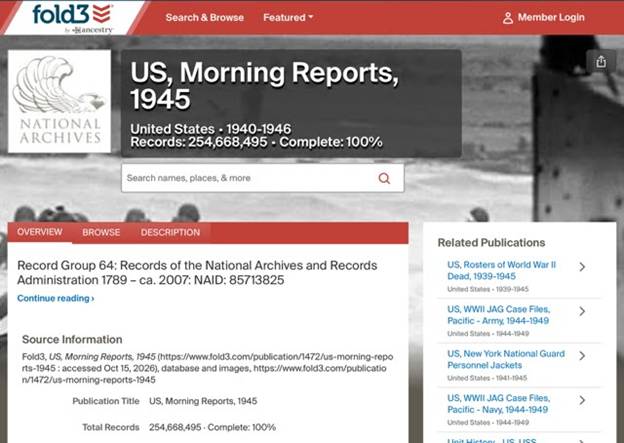
An easy way to get started is from the Fold3 homepage. What you’ll notice is that these records are 100% complete. They were published on Fold3 on August 19, 2026, and last updated September 30, 2026. (I’ll remind you what that last date might mean later on.)

NOTE: On Fold3, you can search in many different ways. This is just one of them.

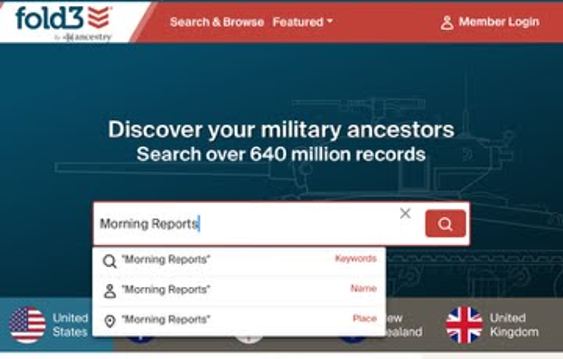
Start at the Fold3 homepage. Type morning reports in the search box, and select Keywords from the drop-down menu.

Search Fold3 Homepage for Morning Reports

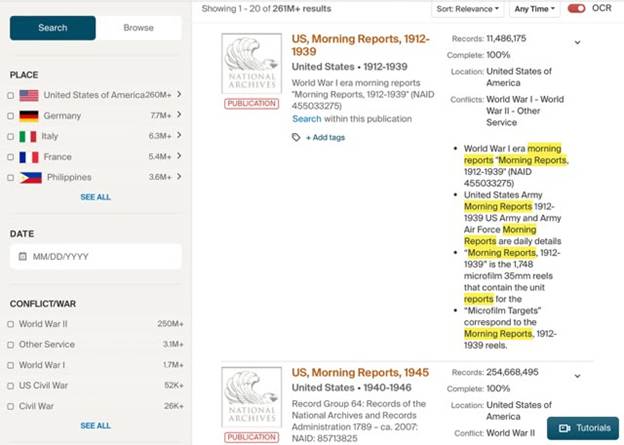
The search results will have two Publications of Morning Reports. You’ll want to look at the publication: US, Morning Reports, 1945.

Search result from Home Page for Morning Reports

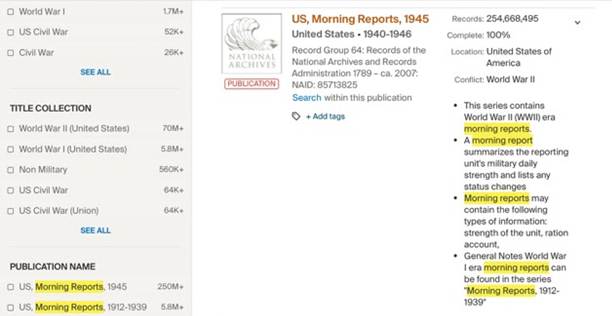
The search result to select is the Publication: US, Morning Reports, 1945.

Morning Reports 1945 Publication

Even though the description gives 1940-1946, the Publication name contains only 1945.

US Morning Reports 1945 Publication Page

In the search box on the publication page, I entered my search terms: James C McMahon and selected Name from the dropdown menu when it appeared.

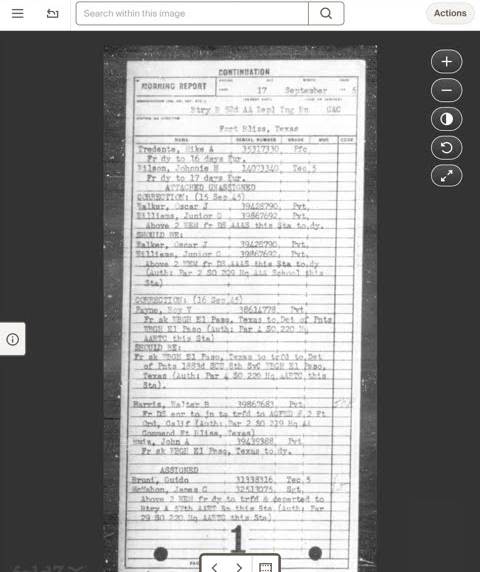
I had several results that were for this soldier right away.

Remember to use the Actions button for downloading them.

Search result Morning Report

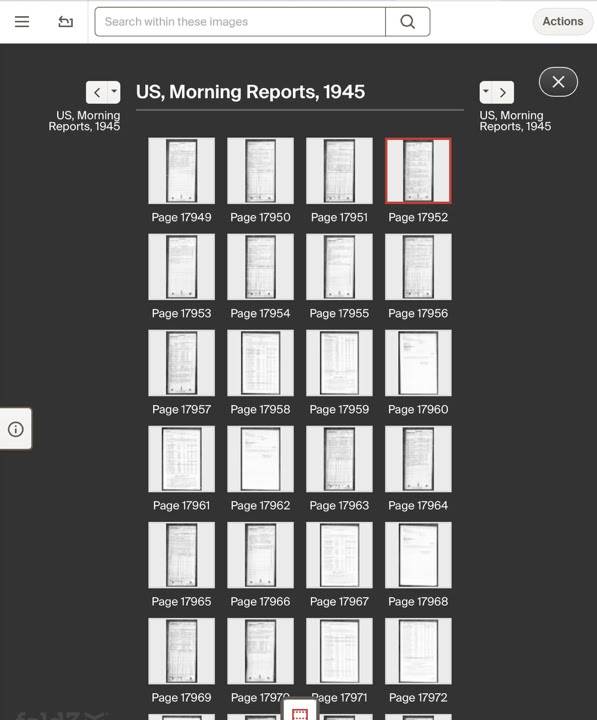
Clicking on the film strip icon lets you view the other Morning Reports. You have to download them one at a time.

Results in their film strip

NARA Digitization Agreements

(NOTE: I am not a lawyer, I don’t play one on TV, and this is not intended to be legal advice or opinion. The following contains links where you can learn the details of NARA’s Digitization Partnerships.)

Having digitization partners can speed up the effort to scan and get records online. It can stretch the financial and personnel resources of NARA. In this case, although Fold3 is a subscription database, it is one that can potentially be accessed through a library.

For a list of Microfilm Publications and Original Records Digitized by NARA’s Digitization Partners, https://www.archives.gov/digitization/digitized-by-partners.

NARA Principles for Partnerships to Digitize Archival Materials are at https://www.archives.gov/digitization/principles.html.

To learn more about the NARA Digitization Partnerships and to read the agreements, visit https://www.archives.gov/digitization/partnerships. In the The Ancestry.com Letter of Intent (2024) Item (2)(e)(iv) shows the WWII US Army Morning Reports.

This Publication was last updated on September 30, 2026, and it is 100% Complete. By the NARA digitization agreements with its digitization partners, the digitization partner is has exclusive use of the images for an embargo period, “the period of five years, which begins on the first of January after the end of the scanning phase for the Digital Images covered by a Project Plan or segmented portion of a series of Digital Materials in a Project Plan, within which all Digital Materials for that series or segmented portion created by Ancestry will be published exclusively by Ancestry.” (Ancestry.com Partnership Agreement)

“If resources permit, we will try to make the digital materials available in our online catalog within the same year they are no longer in the embargo period.” (“NARA Principles for Partnerships to Digitize Archival Materials”) So if the effort is complete, the embargo period should begin in January 2027, and we might possibly see the images loaded into the NARA Catalog sometime in 2031. BUT we did not see a year or years of Morning Reports on the Letter of Intent, so we don’t know if 1946 Morning Reports are part of that item. If they are, then start the clock when those go online.

For tonight I will travel back to 1945. Let me know how you do.

Second Edition Now Available: Finding and Using U.S. Army WWI and WWII Morning Reports

Blog Post Banner Second Edition Morning Reports

We’re pleased to announce the Second Edition of:

Finding and Using U.S. Army WWI and WWII Morning Reports

is now available on Amazon at: https://www.amazon.com/dp/B0HKV8X3B2

This Second Edition has arrived with updated guidance for finding, understanding, and using one of the most valuable sources available for researching U.S. Army service during World War I and World War II: Morning Reports.

The Second Edition includes major updates to two important chapters:

  • How to find World War I Morning Reports using Fold3
  • How to find World War II Morning Reports using the National Archives and Records Administration (NARA) Catalog

Morning Reports can allow you to travel back in time with a soldier or military organization, following locations, personnel changes, and events day by day.

For researchers dealing with Army personnel files lost in the 1973 National Personnel Records Center fire, Morning Reports can be especially valuable. They may help you overcome gaps left by burned personnel files, and, in some cases, help you reconstruct a soldier’s military experience in greater detail than a personnel file alone.

You can look for references to a specific soldier, but the real power of Morning Reports comes from following that soldier’s unit even on days when the soldier is not specifically named.

What You Will Learn

The book explains the formats used for WWI and WWII Morning Reports, the information they contain, and how those records changed over time.

Examples throughout the book introduce readers to the specialized language, abbreviations, and terminology used in WWII Morning Reports so that the records become easier to interpret.

Because locating Morning Reports is not always straightforward, the book also includes techniques for finding elusive reports, recognizing gaps in a record set, and developing strategies for working around missing records.

Going Beyond Individual Morning Reports

Morning Reports become even more useful when analyzed as a series rather than as isolated documents.

Case studies in the book demonstrate how reports from different parts of a military organization can be combined to reconstruct events.

These records place your soldier within the larger story of the military organization and the history unfolding around it.

For Genealogists and Historians

Genealogists can use Morning Reports to reconstruct military service when traditional personnel records are incomplete or unavailable.

Historians can use the same techniques to follow the activities and movements of military organizations through a world war.

The book also points researchers toward additional military records and sources that can help expand the story beyond what is contained in the Morning Reports themselves.

Bonus material covers reporting done by other military branches.

Finding and Using U.S. Army WWI and WWII Morning Reports Second Edition can be found in paperback using eco-friendly groundwood paper on Amazon at: https://www.amazon.com/dp/B0HKV8X3B2

Changes When Searching The NARA Catalog

blog banner Changes When Searching The NARA Catalog AI generated

The way that you search the NARA Catalog has changed.

NARA has made changes to the backend of how Catalog searches are implemented. The change means that a search using Boolean operators between more than two phrases within double quotes will result in an error screen.

More simply explained, if you have been using quotation marks and Boolean operators (e.g. AND) in your searches, don’t! Strip out all operators and quotes because multiple search keywords are now automatically interpreted as having an AND between them. That means the search results will have all the keywords in them.

In the past, where I might have used in the search bar:

“Morning Reports” AND “500th AAA” AND “Greenland”

I would NOW enter this is the search bar:

Morning Reports 500th AAA Greenland

For all the search terms you find, remove the double quotes and the Boolean operator AND and you should be error free.