FamilySearch Full-Text Search for the Win!

Blog Post banner FamilySearch Full-Text Search for the Win!
Recently I followed up on an Ancestor hint relating to a branch on my maternal line, which led me to interesting discoveries.

In my family tree, Maria, a seemingly abandoned Irish woman and her three children entered a workhouse in England. Fortunately, she and the children left it in a year. At least one of the children (my great-grandmother, Mary Ann) made her way to Providence, RI, where she married my great-grandfather. (I have previously blogged about finding an ancestor in a 19th century workhouse in https://aweekofgenealogy.com/found-ancestors-in-the-workhouse/).

A death certificate record was located in Providence, RI, for a woman whose data seemingly matched Maria’s. Standing alone it was certainly of interest, but no other records had been found to put her in that place and time. I admit to being somewhat skeptical. Knowing Irish naming patterns, causing the repetitive use of names within family units, I wondered if this might be a relation rather than Maria herself. Were these common names where she originally hailed from in Ireland? Or was it coincidental?

The Ancestry hint sent me to a family tree that contained a person with the same name of my great-great-grandmother along with her two sisters. The documentation for those two sisters was more detailed than that for my great-great-grandmother, suggesting the owner of the tree was not along the same line as I. I followed the suggested records and built out a detailed pictures of two women who had immigrated to the United States and came to call Providence, RI, their home.

I always look for the records that document facts in a person’s life, link people, and tell a story, and I found some. In my own family tree I added these two women without connecting them to Maria in the main tree When I found records on Ancestry, I attached them to these women, downloaded them, and copied the source information. I also took snipped screenshots of the relevant data and captured it in a timeline built in a Word document. So far, so good.

Margaret, the elder of these two sisters, had come to Providence and married before Ellen. Ellen arrived in 1880 and was shown in the census of that same year, living with married Margaret. (This suggested a chain migration.) Ellen worked in Providence and married several years later in 1889. Sadly, Ellen died in 1899 at age 38. At that time, she was already a widow, and she left behind two young daughters. Margaret died in 1904, leaving behind a husband and six children. My great-great-grandmother, Maria, died in 1902. The records for all three women that contained parents’ names were consistent:

Father, William Connaughton

Mother, Bridget

As I searched through the records Ancestry suggested, a standout was the Providence, Rhode Island, U.S. Old Stone Bank Records, 1844-1924 at https://www.ancestry.com/search/collections/62959/. Both Margaret and Ellen had bank accounts, and along with other identifying information, there was common data:

Birthplace: Co. Roscommon

Margaret’s entry contained additional data:

Mother, Bridget Murphy

So, parents had the same names. If Maria was in fact their sister, I would then know the county where she was born, and the maiden name of her mother.

I looked at Maria’s death information again and noted the address where she had died. It was the house owned by Margaret and her husband. Evidence was mounting, but I was still wondering if she might have been a cousin or another relation.

Contacting the owner of the tree was a good idea, but had I tried before? I checked the messages on Ancestry and viewed the messages exchanged 2019. (I could have consulted my correspondence log, but this was more convenient. I admit to being on a fishing expedition rather than focused on answering a research question.)

Based on that previous correspondence, I doubled checked DNA matches. By my calculations, we were fourth cousins, once removed. Yes, this contact did know more about Margaret and Ellen than Maria.

At this point, circumstantial evidence was being built, but I wanted one record to connect Maria with one of her sisters. Searching for Maria, or her daughter Mary Ann, in the Old Stone Bank records and the 1900 US Census in Providence (and Rhode Island) was not fruitful.

It was time to move laterally to check other indexes and other databases. I decided to search on FamilySearch for records that would be helpful in connecting Maria to these two women.

I decided to jump in and use FamilySearch’s Full-Text Search to find those records that might have mentioned Maria, even if the record was not about her. Full-Text Search has moved out of the FamilySearch Labs and can be selected from the Search Menu.
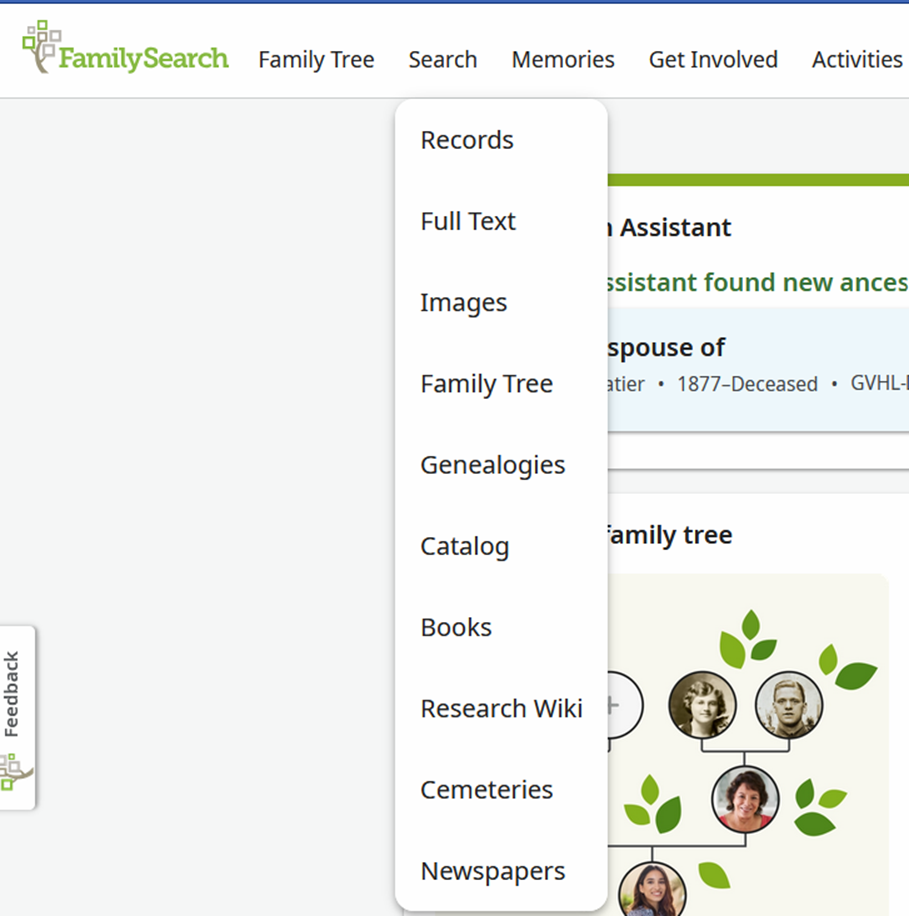
FamilySearch search menu options
FamilySearch Search Menu Options, courtesy of FamilySearch

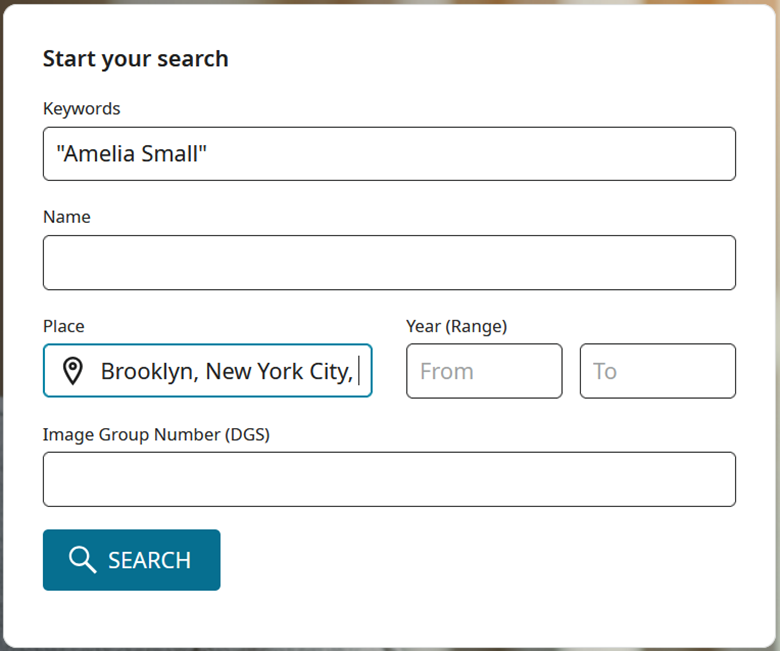
As a reminder, the best way to search for a person is to enter their name within quotation marks in the Keywords field.
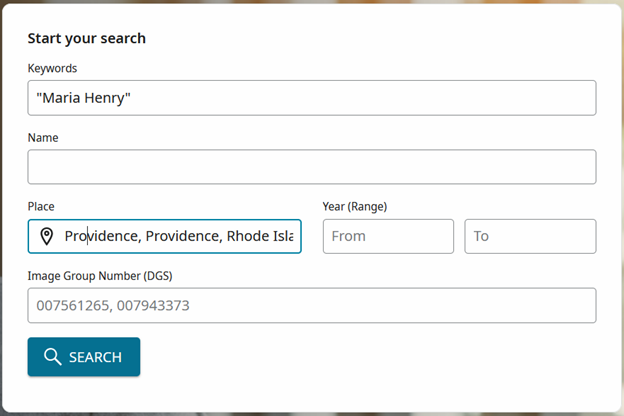
FamilySearch Full Text Search Box
FamilySearch Full Text Search Box, courtesy of FamilySearch

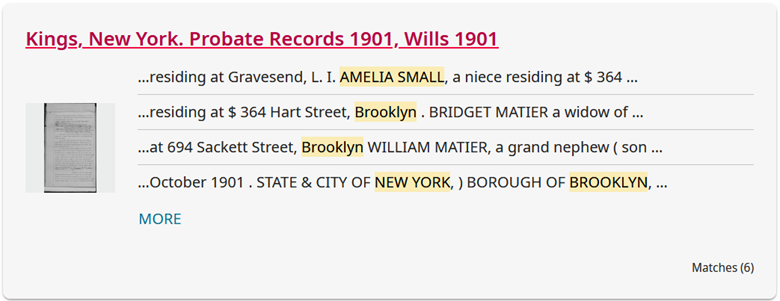
Carefully reviewing results…there was result contained a death record I had not yet seen.

FamilySearch Full Text Search Result, courtesy of FamilySearch

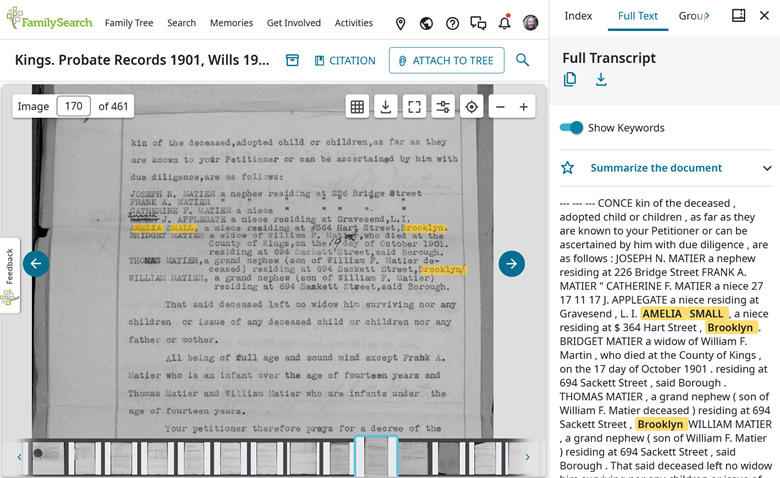
The same address was in the record, namely the home owned by her sister and brother-in-law. The parents’ names were there (without her mother’s maiden name).
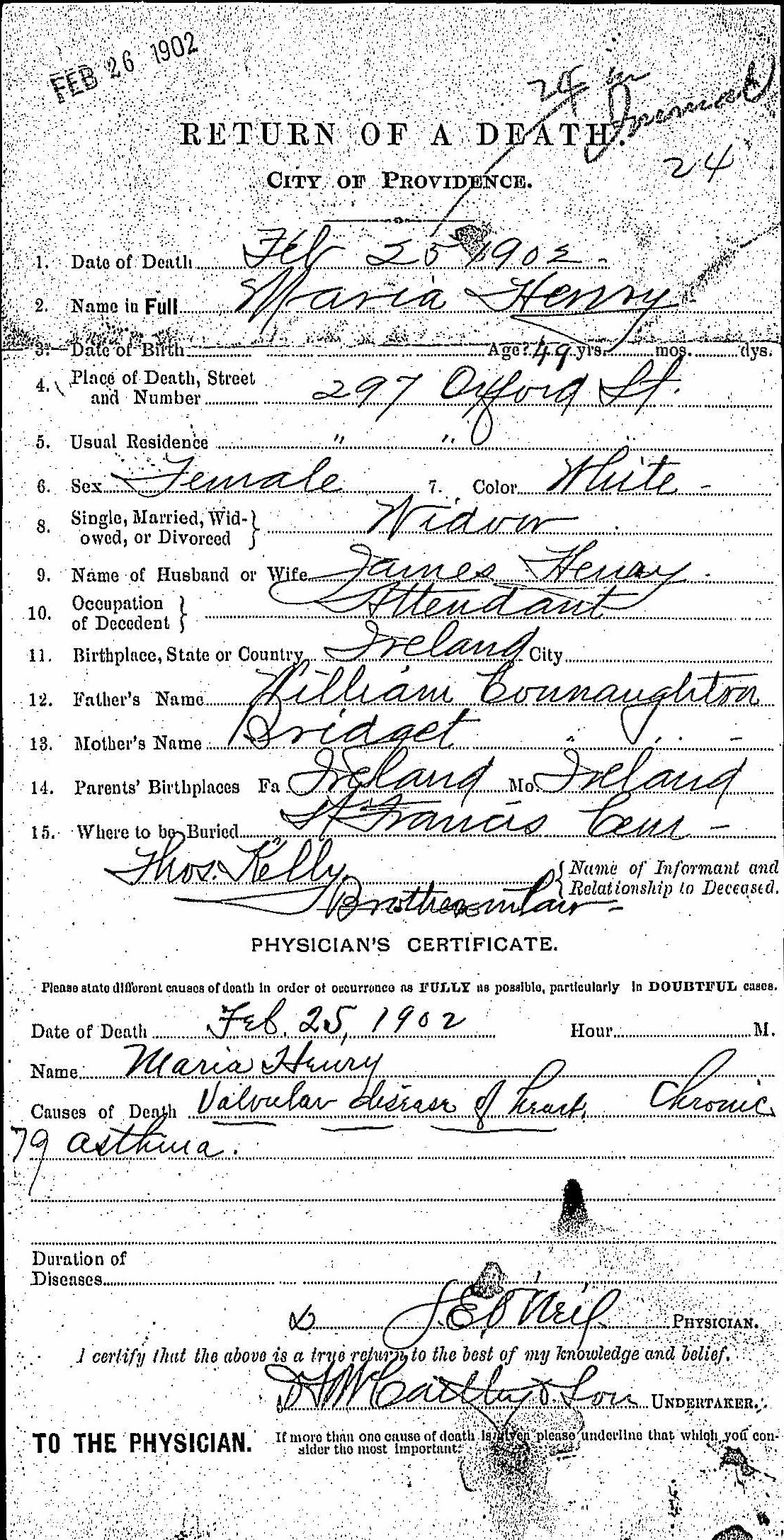
Return of a Death Maria Henry
Return of a Death Maria Henry, courtesy of FamilySearch

In this record there was data that was not included in the register:

Name of Informant and Relationship to Deceased: Thos. Kelly Brotherinlaw

Thomas was Margaret’s husband! He and Margaret owned that house. Since he was Maria’s brother-in-law, that made Margaret her sister. (None of her late husband’s people were identified in the proximity.) FamilySearch Full-Text Search for the win!

That was the definite piece of data I needed to call my brother and tell him that we had roots in County Roscommon, and that our great-great-great-grandmother’s name maiden name was Murphy. (Even though he lives in time zones behind mine, it was so late that I waited until the next morning to make the call.) It was also a good reminder:

Always look for all the records related to an event, focusing on the ones made closest to the event.

The details in Returns of death were recorded by a physician. The data on them was used to make an entry in the register. Death indexes and death certificates draw data from the ledger.
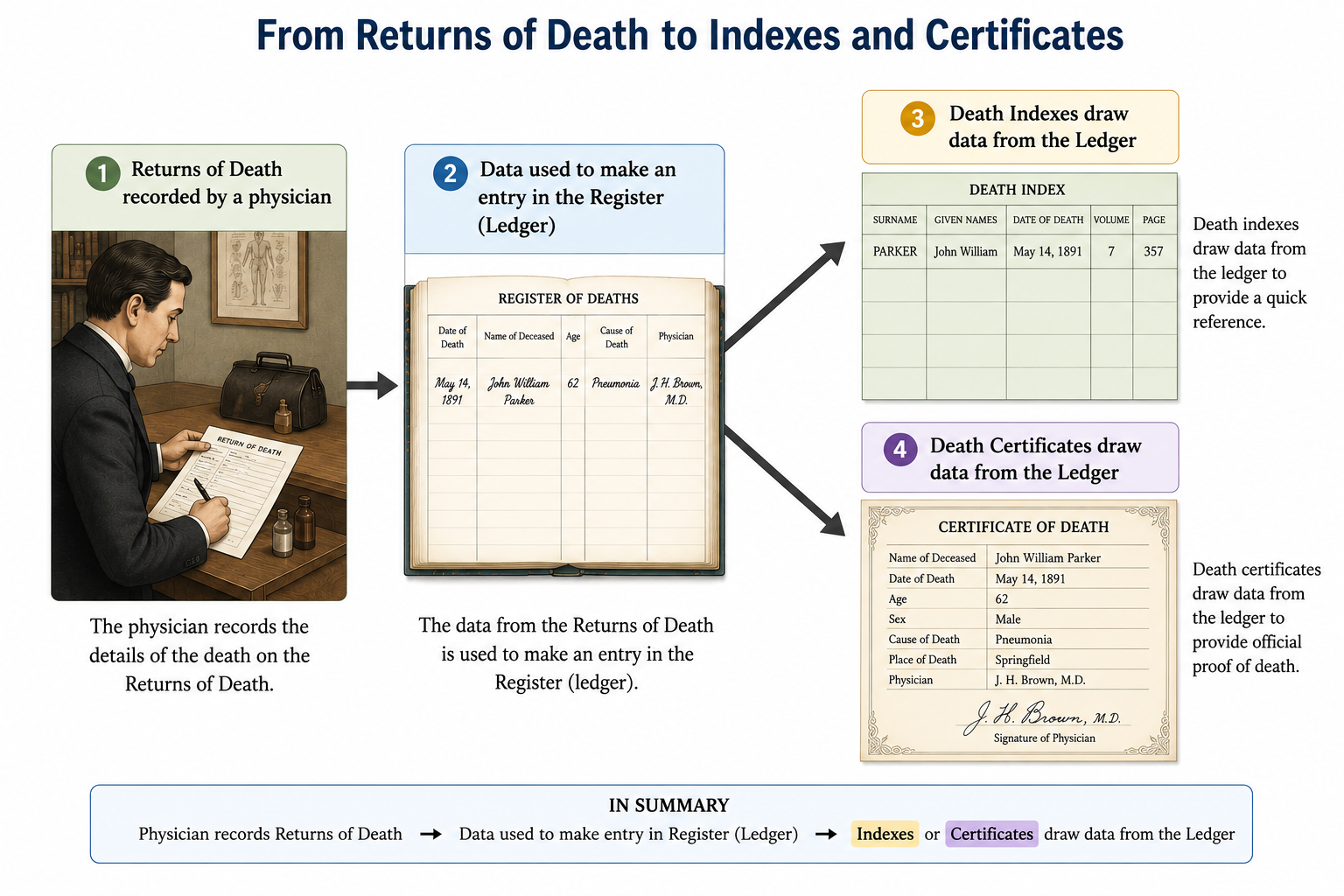
From Returns of Death to Indexes and Certificates
Generated by ChatGPT, 2026.

Engineers are known for being belt-and-suspenders people. Being that way meant that in addition to downloading the records, saving sources, and extracting the information into my timeline document, I added the record to my tree (my part of the one family tree) on FamilySearch.

That is where the middle-of-the-night surprise occurred.

A brother to Maria, Margaret and Ellen is shown in that tree! Back to the drawing board to see if the records prove out James Joseph Connaughton’s relationship to these sisters. (The first record I looked at was his Intention to Marry in Providence in 1883, with his parents: William Connaughton & Bridget Murphy.)

But right now it is time to connect Margaret and Ellen to their sister and parents in my family tree on Ancestry.
Surname Study and AI Part 4: Making A ChatGPT Project

blog banner Surname Study and AI Part 4: Making A ChatGPT Project

In this series of posts about a surname study, Part 1 described the study, Part 2 included how census data was collected and formatted for use and Part 3 described how to combine and analyze the census data. This blog post will show how to create a project in ChatGPT. Even though the example shows creating a project as part of a surname study, the steps can be used for any task you are doing.

In the work done during the previous part of my project, I asked ChatGPT:

Would it be good to have this chat in a project?

ChatGPT suggested that a Project is good for a long, multi-stage surname study. It explained the benefits of having the related chats and files grouped together for organization. It also recommended creating separate threads as I continued my effort, with tips for naming the chats. ChatGPT went on to suggest which threads and files to include.

NOTE: Although I kept detailed notes about the steps of this study, I had not written the full blog posts as I performed the steps. As a results, some details of the interface had changed, so please keep in mind, ChatGPT is always evolving!

In the menu section Projects I clicked on the + sign next to New Project.

New Project on the ChatGPT Menu

Then a dialog box opened so that I could enter the Project name.

Create Project option on ChatGPT

And the Gilroy Surname Study (RI, 1850-1900) project was created in ChatGPT. It appears in the menu, above the other chats.

New Project created on ChatGPT

Since I already had chats to add to the project, I clicked on the three dots (ellipses, sideways snowman) next to the name of the existing chat I wanted to add (Surname study assistance). Choosing Move to project gave me the option to create a New project and the name of the already existing one.

Move existing chat to the Project

Next, I wanted to add the data files to the project. I clicked on the Project in the menu, and where Chats was already selected.

Project Chats and Sources

I selected Sources, then + Add sources

Project select Sources, then Add sources

The dialog box opened to allow me to add sources. In this case, the sources were my files, and I dragged and dropped them.

Add sources

ChatGPT had offered suggestions about what products to add to the Project, such as checklists it had generated.

NOTE: At this point (ChatGPT 5.2), the names of sources in the project cannot be edited. The types of files that can be added to a project have been expanded, and are: .docx, .pdf, .txt, .md, .xlsx, .csv, .jpg, .jpeg, .png, .tiff, .json, .xml, .pptx, .mp3, .wav, .mp4, .html, .mhtml

At the end of this step:

The chats and source files had been grouped together into a project.

Next step: I decided to look at the data from city directories.

Surname Study and AI Part 3: Combining Census Data

Blog banner Blog Post Surname and AI 3

In this series of posts about a surname study, Part 1 described the study and Part 2 included how census data was collected and formatted for use.

Census data definitely provides a backbone for research about a family. In this case, I had collected census data from both the federal censuses and the Rhode Island state censuses that were described previously. The next step was to use AI to combine the census data, then analyze it to create that backbone. I wanted ChatGPT to build backbones for the multiple families in the censuses. I uploaded the spreadsheet with the collected census data into my ChatGPT Plus chat, along with the prompt:

I would like to begin by giving you a spreadsheet with US Population Censuses and Rhode Island State Censuses between 1850 and 1900. I would like you to take a look at this data and see if it can be combined into family units, and keep the data from different censuses even though it is dissimilar. From this we will have a backbone to put together the different Gilroy families living in Rhode Island during that time so that we can add more data from different sources. Ask me questions about anything that is unclear.

ChatGPT did have some clarifying questions, then it proceeded to work with me to create a report with Provisional Family Lines.

ChatGPT had enumerated the family units, then analyzed the data and had identified four households with a high confidence level.

  • Timothy and Eliza Gilroy line (TE) [my known direct ancestors]
  • Lockey/Lackey and Ellen (Bristol rubber line)
  • Catharine Gilroy as head with sons Peter and James (Newport line)
  • Philip Gilroy Providence line (NY to RI step-migration pattern)

My confidence was very high as I had already identified these by my offline analysis. Different relationships had been detected after my immediate ancestors had both died and the younger children moved in with older, married siblings. Suggestions were made about how to verify these relationships. (Those records are coming in the birth/marriage/death phase.)

We had several conversations throughout the process, breaking the analysis into steps. I gave information about the family that was the main focus, which changed the order of data presentation. ChatGPT gave me insights into how others did one name surname studies and favorably compared the approach we were taking to them.

In one conversation ChatGPT explained how it was “crosswalking” through the census. It explained that crosswalks are used in: longitudinal population studies and archival metadata. Crosswalking was being used to link family units, rather than just individuals, between censuses.

ChatGPT was working as an assistant.

At the end of this step:

ChatGPT had compiled and organized data into a report: Gilroy Surname Study Backbone (Rhode Island, 1850-1900). The report also documented the constraints and additional information that had been provided during this phase as external proof controls.

An Excel spreadsheet had been produced to document the four family units, with tabs for the unlinked individuals and the evidence legend.

ChatGPT had built a backbone for the study. We worked together on the contents of a report the captured families, relationships, and unlinked individuals, recommendations for next steps, and an appendix with abbreviation.

The next step would occur after I asked ChatGPT:

Would it be good to have this chat in a project?

Surname Study and AI Part 2: Collecting Census Data

blog banner - Surname Study and AI
Part 2

In the Surname Study and AI Part 1 post, I described the reasons that motivated me to undertake a surname study in Rhode Island, US, and the approach I took. The use of AI tools to help with formatting, visualizing and analyzing data is a goal in this latest iteration of the project.

Both US Population and Rhode Island State Census data were used as a backbone for the study.

My next step was to use AI to capture the transcriptions of key record information from the censuses, and work to normalize it. For this first step, I decided to limit my search to census databases, for exact and similar spelling of the surname, using the exact location of Rhode Island, USA. Even though I collected the images of the census, I collected the data presented on the Record Page to populate the columns of the spreadsheet.

My search settings were:

Last name: Gilroy; Slider: Exact and similar

Lived in: Rhode Island, USA ; Slider: Exact

Focus: United States [this setting was not necessary because I searched for records specific to the United States and Rhode Island]

On the search results page, I used filters to narrow down to one census at a time so that I could collect the data.

Thanks to a great idea I learned from Jon Smith of the North Carolina Genealogical Society, I decided to use Ancestry.com in a Chrome browser with Gemini AI enabled to capture the Record pages.

Gemini in top of Chrome Browser

If you do not see Gemini on the top of Chrome:

First, be sure that you are logged into your Google account. You can do this by logging into your Gmail account in the browser.

Then, try this to enable Gemini in Chrome:

Click the three dots (More), and select Settings from the menu

In Settings, click AI innovations in the left menu, then select Gemini in Chrome.

Chrome Settings to use Gemini
Chrome Preference to open Gemini

To collect the data in the US Census, I signed into HeritageQuest in the Chrome browser. Always check your county library, as HeritageQuest may be free to access from home.

I searched for all the occurrences of the surname in Rhode Island, one census at a time for the 1850, 1870, 1880 and 1900 US Censuses. My plan was to collect one line of data for each name that appeared in the search results.

These are example results for the search for exact and similar surnames to Gilroy.

Example HeritageQuest Search Results Page

Example Search Results Page (courtesy HeritageQuest.com)

From the 1860 US Census Search Results Page, I right clicked on the View button to open each Record in a new tab.

Example HeritageQuest Record Page

Example Record Page (courtesy HeritageQuest.com)

Gemini in top of Chrome Browser

Some of the issues and limitations that I found may be due to the fact that I use a free version of Gemini. I had to work on my prompt to have the data captured in a Comma Separated Values (csv) format, so that I could use the data from the transcription of the record in my Excel spreadsheet. I tried to have Gemini decide what to label the columns, but it worked out better when I told it the names of the columns in the prompt.

NOTE: Later on, Gemini and I decided to format the collected data in Markdown tables. This simplified the process, because the data could be pasted directly into the Excel worksheet.

In the interest of time, I used copied all the data from one Record page and asked ChatGPT to extract the data tags, using the prompt:

keep only the data tags such as Name, Age, etc and show them in a comma separated sentence on one line.

That provided me with column names which could then be used in the Gemini prompt. (This was done once for each census.) That way the line for each enumerated person in a worksheet would have the same data in the same columns.

In my type of account (free), Gemini would only look at ten open tabs in the Chrome browser as input to a prompt, so I knew that I would have to collect the data in steps. Gemini wanted to jump right in and give me analysis based on the data in those tabs, and it took some coaxing through prompt refinement to get the data in a form to put into a spreadsheet.

I added tabs using the plus sign until I had selected the Current tab and 9 others to share with Gemini. (When you select more than 10 tabs a warning appears: “Only 10 tabs can be shared.”

Select Multiple Tabs as Input to the Gemini Prompt in Chrome Browser

Select Multiple Tabs as Input to the Gemini Prompt in Chrome Browser

Prompts may need refinement, and in this case Gemini and I chatted back and forth to get the results that I wanted. Gemini warned me that it could not directly create or download an Excel (.xlsx) file for me, but that it could format the data into a standard CSV (Comma Separated Values) format.

For the 1860 US Census, this is a prompt that I used in Gemini in the Chrome browser. This was the result of refinement, and needed to be changed slightly for each census.

For all open census records, extract the data and generate the full CSV text. For each record, transcribe it into a new row of the CSV . Put the CSV text in a canvas so that I can copy it from the prompt. Structure the output so that each record (the main person detailed on the page) is a single row, and list all their household members’ names in a single column titled ‘Other Household Members (Names)’. **Only transcribe data explicitly visible in the current tab’s detail and household sections.**

Here are only the data tags, formatted as a single comma-separated line:

Name, Age, Birth Year, Gender, Race, Birth Place, Home in 1860, Post Office, Dwelling Number, Family Number, Occupation, Real Estate Value, Inferred Spouse, Household Members (Name)

**For any column field where data is not transcribed, insert a blank space to ensure all records have identical column structures.**

The response included this CSV text.

CSV from the Gemini Canvas

I used the copy icon at the top right to capture the CSV text, and pasted it into an open Notepad file. The Notepad file was saved as type “All files” and I created a file name ending with the extension “.csv” (CSV = comma separated values)

Save Notepad file as CSV

Then I opened the CSV file in Excel, and copied and pasted the lines into the Excel worksheet.

It seemed that when Gemini was used in the browser, it did not have a large memory, so I would have to reload the prompt during my next session. (Always save your prompts!) Sometimes Gemini wanted to use older data for the task I was giving, so I needed to modify the prompt to remind it to only work on the set of selected tabs.

Since this version of Gemini-enabled browser only allowed me to work on 10 tabs at a time, I stepped carefully through the results to be sure that each person with a name that was Gilroy or similar was included.

In an Excel spreadsheet, I pasted the data from the 1860 census in a worksheet, and labeled its tab “with the year and the type of census”1860 US Census.”

I repeated these steps for each US Population Census.

The Rhode Island state censuses are available on Ancestry.com, and I repeated the same process for each one.

Engineers do enjoy visualizing data, so using Excel, I created a graph of the number of individuals with the exact surname Gilroy or a similar surname for each type of census. Then I combined the number of individuals from both types of censuses, for all available years. Note: the US Census for 1890 and the RI State Census are unavailable.

graph US Census Results for Gilroys in Rhode Island by Year
graph RI Census Results for Gilroys in Rhode Island by Year
graph Census Results for RI Gilroys by Year Combined

The story that I know from my hands-on analysis involves people with the Gilroy name arriving and departing Rhode Island through immigration or moving from or to another state in the US. The number of individuals with the same surname varied by marriage, birth and death. Women would either gain the surname through marriage, or lose it when enumerated using their husband’s surname.

Even though I did collect the citations from Ancestry.com, they are not sufficient for publication and I would have to do some more work to create any citations. There are limits to the approach I used. The enumerators may not have visited all the people who shared that surname, and that different transcription efforts may result in different spelling of the surname.

At the end of this step: I had an Excel spreadsheet, with a worksheet for each census. Each worksheet contained a line for each person who was enumerated in the census as having the exact surname Gilroy or a similar surname that was present in the online databases. Each column in a census worksheet has the same type of data, or was blank, for ease of analysis.

Excel spreadsheet, with a worksheet for each census.

Next, I can use an AI tool to analyze the data in each census, and across censuses. My goal is to identify family groups as well as individuals and track their changes through the years of interest.

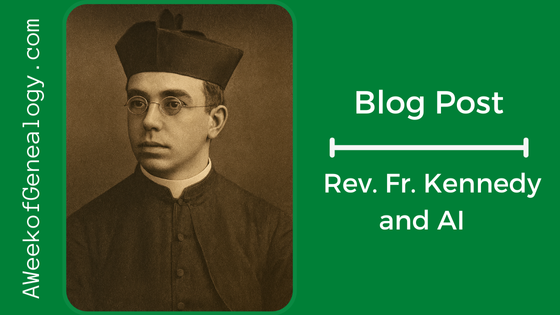
Rev. Fr. Kennedy and AI

Blog Post banner Rev Fr Kennedy and AI

It has been a while since there has been a blog post. In that time, I have been working on my newest presentation, Mining Morning Reports for Genealogical Gold. You can read a review here: https://aweekofgenealogy.com/comments

In addition to getting ready for other presentations, I have also been experimenting with the NARA Catalog API to get an alternate way of searching the catalog.

I did spend some time with AI offerings in my research into the Rev. Fr. Thomas J. Kennedy.

First, I uploaded the sketch that I have of him from the newspaper to ChatGPT and prompted it to: Change this line drawing into a picture

A few liberties were taken by the built-in DALL·E image generation system when creating this image. In the sketch it does appear that he is probably wearing a cassock of the time, but the details of buttons and the notch in the collar are not evident in the sketch.

I may need to try this process again with a stricter prompt to rein in ChatGPT’s creative vision.

I looked up his eye color recorded in a Civil War roster and asked in a follow-on prompt asked: can the image be changed so that his eyes are more grey

The resulting image looked less like the sketch.

Since the Rev. Fr. Kennedy was dying at the time of the column in the Brooklyn Eagle, it finally occurred to me that there must have been a photo of him that was used as the basis of this sketch. I have not located one yet. This image also looks like that of a younger man. My focus has been on the data, but it seems I may need to be searching for the original photo of him. Does the original photo still exist? (Although the Archivist at the Diocesan Archives of the Roman Catholic Diocese of Brooklyn was very helpful, they did not have a deceased priest personnel file for him at in their archives because he had died in Kentucky and not in Brooklyn.)

Using the original sketch, I did a Google Image search at https://images.google.com, adding the search terms: Kennedy Brooklyn

Naturally, our blog posts showed up, and data about the life of the Rev Fr. Thomas J. Kennedy extracted from the blog posts appeared in the AI summary. Many of the photos that were returned in the results were of men religious of all different faiths.

The “Dive Deeper in AI Mode” button that appeared at the end of the AI Summary made me curious, so I clicked on it. Gemini let me know the number of sites it was searching, and informed me about two sites: our blog and the New York Times. There was an article from the NY Times dated Oct. 5, 1901: “Rev. T.J. Kennedy Said to be Dying.”

Our county library has a subscription to the ProQuest Historical Newspapers, which includes the New York Times, so I logged in and searched for the article using these search terms:

Rev. T.J. Kennedy Said to be Dying 1901

There were three results, two of which were ads from the 1970s.

The New York Times article was succinct and did not offer more information than the article in the Brooklyn Eagle. It was actually published several days after his death in Kentucky. It mentioned that he retired about a year ago, and that his ill health for the reason for his pension. He was in Kentucky, at a Trappist Monastery. He was well-known in the Grand Army of the Republic (GAR) circles.

Of course I downloaded a pdf file with the article, a pdf file with the whole newspaper page, and a (brief) citation in Chicago style: “Rev. T.J. Kennedy Said to be Dying.” 1901., Oct 05 New York Times (1857-1922), 9. https://www.proquest.com/newspapers/rev-t-j-kennedy-said-be-dying/docview/96159883/se-2. (Further reproduction of New York Times articles is prohibited without permission.)

There is certainly more to do to fill in this ancestor’s story, but the use of the AI tools ChatGPT and Gemini inspired both my creativity and my next steps in the research.

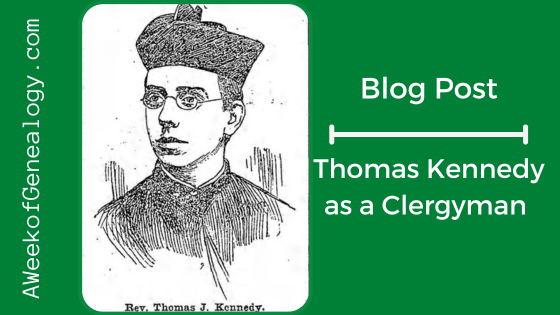
Thomas Kennedy as a Clergyman

Blog Banner - Thomas Kennedy as a Clergyman

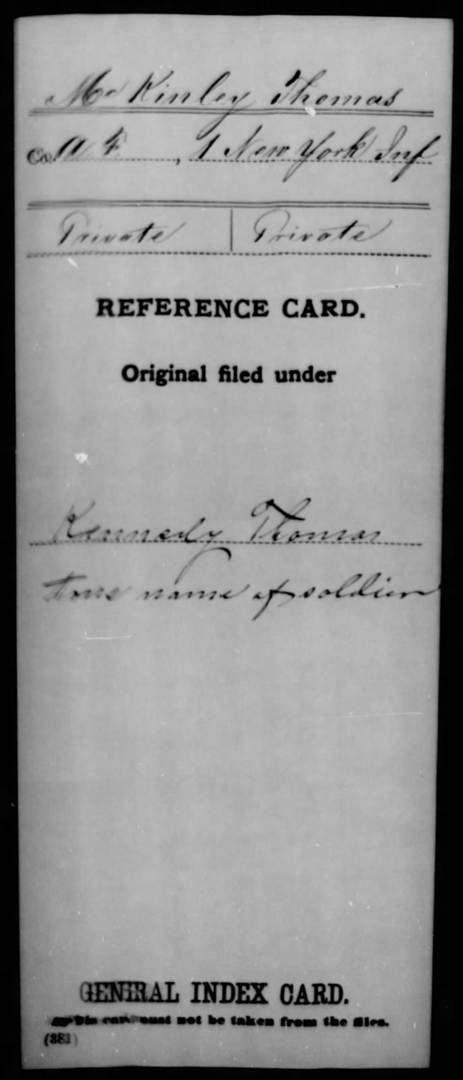
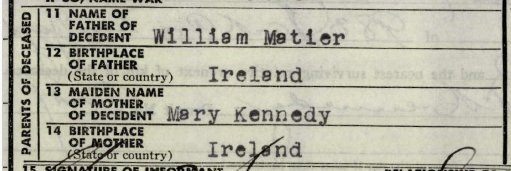
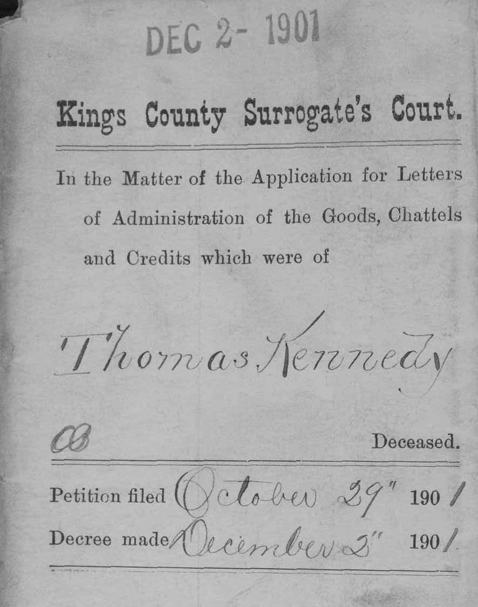
In previous posts I have been relating my searches for and research about the Rev. Fr. Thomas Kennedy. I learned of his existence and connection to my family through a FamilySearch Full-Text Search Finding Amelia Small in FamilySearch Full-Text Search. First, I looked into records about his life in Tracking the Rev. Fr. Thomas Kennedy and then I followed the trail to learn about The Military Service of Thomas Kennedy. Now it is time to see what I can find about his life as a clergyman.

After searching Brooklyn City Directories (both by name, and by Municipal Registers for clergy assigned to Catholic Churches) and censuses, and not finding anything that seemed to fit definitely, it was time try Google. Through Google, I learned about the Diocese of Brooklyn, and its archives. Those archives contained a list of historic churches. These were were good resources, but at this point they did not help me tune into this ancestor.

From the Google results, I followed a link to the text of Priests and Parishes of the Diocese of Brooklyn: 1820 to 1944 which is where I found a big break. There was only one Thomas Kennedy in the alphabetical listing, and his time as a priest fit with what I had learned about him. The entry for him with abbreviations and dates:

Kennedy, Thomas J., ––-, -–– (SBA 6-22-1873) 9-26-01 S John Evangelist-73; S Malachy-74; S Francis Col -78; ILR-83; S Joseph, Hewlett-84; 0 L Sorrows, Corona-85; S Malachy Home -01

I decoded several of the abbreviations, then decided to copy the text that contained the explanation of the coding of the entries into ChatGPT, and told it to use those instructions to decode the Thomas Kennedy entry. Between us, we had a history of his religious life.
  • Name: Kennedy, Thomas J.
  • Birth date, Birthplace: Unknown/unrecorded
  • Death date: 26 Sept 1901 [this is one day different than what I had]
  • Seminary: St. Bonaventure, Alleghany [Allegany], Pennsylvania [this is in New York State]
  • Ordination: 22 June 1873

His assignments were listed by year (approximately). The entry for “ILL” is for Illness, Leave, Resignation. Presumably it was for illness as he resumed his service as a priest after it. The instructions in decoding the entries included a note that his ordination may not have been at the seminary.

Later in the book his order is given as the Society of Fathers of Mercy (S.P.M.).

With what I learned from the Office of Diocesan Archives for the Roman Catholic Diocese of Brooklyn, I knew that Diocese covered Brooklyn, Queens and Long Island. That helped to make sense of where the churches were (and are). I also learned that their archives contains deceased priest personnel files.

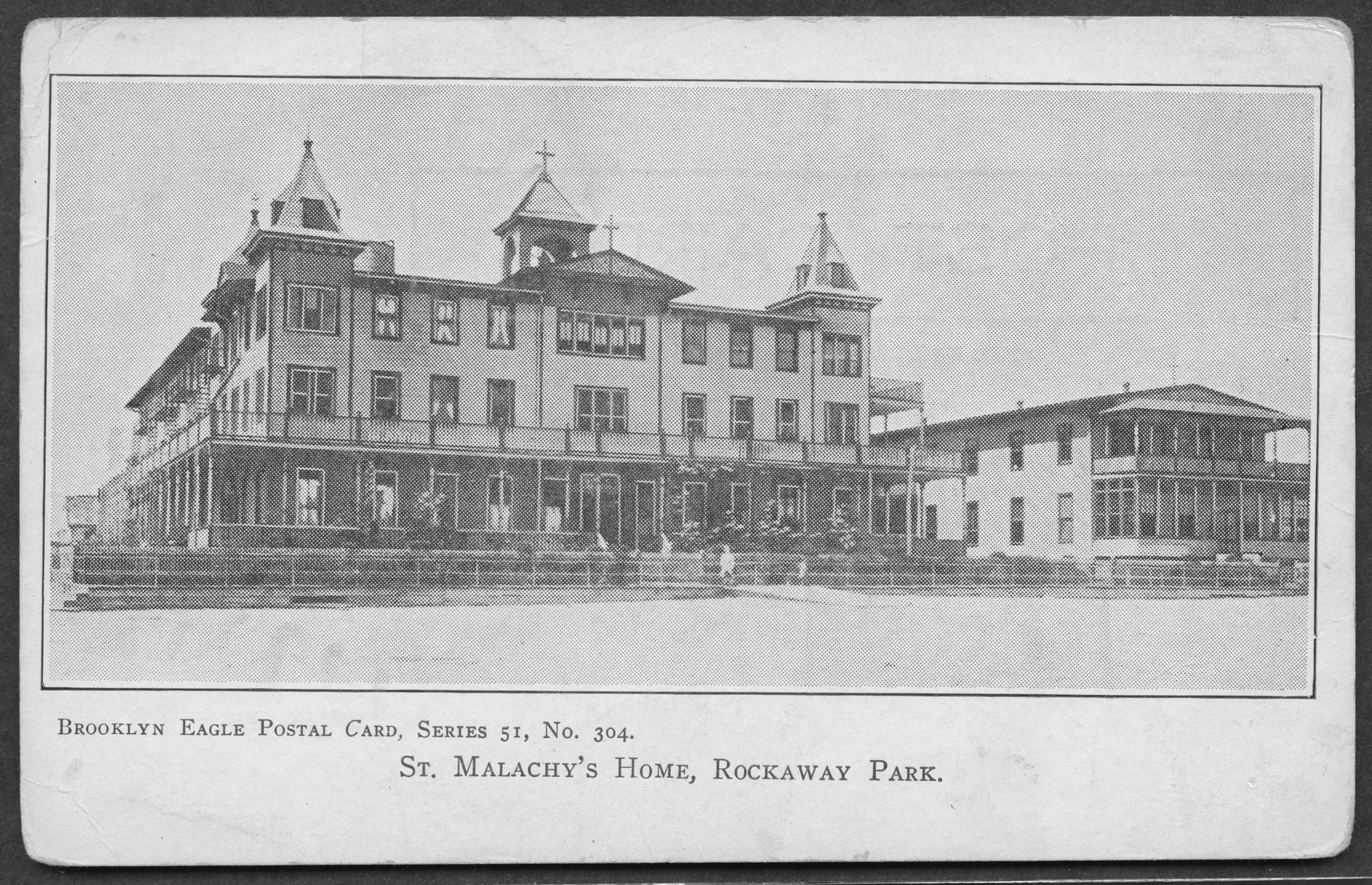
His last assignment was at St. Malachy’s Home, in Rockaway, Queens, New York.

St. Malachy's Home, in Rockaway, Queens, New York
St. Malachy’s Home, [190-?], postcard, POST_0487; Brooklyn Eagle Postcard collection, Brooklyn Public Library, Center for Brooklyn History (permission for Internet use granted)

The next stop was the webpage for St. Bonaventure’s University, and their archives. In their digital archives I located an Alumni directory of Saint Bonaventure’s College and Seminary, 1859- published in 1928 (with no copyright restrictions). On page 123 there were several Rev. Thomas Kennedy entries, but the years and Diocese matched what I knew:

Entry for Rev. Thomas Kennedy in St. Bonaventure's Alumni Directory

In the Catalog of St. Bonaventure’s College there were several other mentions of a Thomas Kennedy who distinguished himself in Logic, Natural Philosophy, and Rhetoric, but I will have to analyze these more to be certain it is our Thomas Kennedy.

With all the knowledge I now had, it was time to go back to the newspapers. Newspapers are one of my favorite resources. They were the social media of past times. I located articles about the Rev. Thomas J. Kennedy in the Brooklyn Eagle.

One article from 1873 how Thomas Kennedy of this city [Brooklyn] was among those receiving orders at St. Bonaventure’s College.

Another article in 1897 celebrating his silver jubilee as a priest included a biographical sketch, which discussed how he turned to religion when being nursed by the Sisters of St. Vincent in a Washington hospital after his left arm was wounded at the Second Battle of Bull Run. He had been ordained by the Bishop Ryan of Buffalo. Due to his wound and his health, he had resigned and was stationed at Malachy’s orphanage. (See picture above.)

Then, in 1901, an article titled “Father Kennedy Dying” appeared. (The link to the clipping may not require a free account at Newspapers.com to view.) This column held the answers to so many questions. Some were about details of his service in the military, and why he was absent without leave (his wound). It included other facts, like his studies at and graduation from Notre Dame before attending seminary at St. Bonaventure’s College. He was a member of the Great Army of the Republic (G.A.R.) Post No. 569, which had the distinction of being composed of all priests. Sadly, his health had deteriorated, and in his retirement he had moved to Kentucky to spend his final days in the monastery [the Abbey of Gethsemani].

It also included the fact that he was born in County Longford, Ireland, and immigrated with his parents. This points to where his sister (my great-great-grandmother), as well as my great-great-great-grandparents, came from in Ireland. They lived in Harlem [Manhattan, New York County] after arriving in the United States.

There are many more avenues to follow about his education, his service the military, and his time as a priest in the Diocese of Brooklyn. Other avenues come with limitations in the passenger lists of the time, and the scarce records in Ireland during the mid-1800’s. But finding a county or origin in Ireland is a start!

Without a doubt, I had won the genealogical lottery. You can be sure that I immediately called family members to come into my office to view the column, and his picture!