ChatGPT and GEDCOM Files

Before I was a professor, I was a flight test engineer. My love of testing systems goes back to my early days working in a lab during college. My particular gift was always find a way to “break” hardware or software through use. My desire to investigate the use of ChatGPT in genealogy has definitely coincided with my enjoyment of testing. In this blog post, I take a look at what ChatGPT knows about GEDCOMs, how it builds one and how it can create a narrative when given an individual’s data formatted in a GEDCOM.
The technical jargon in this paragraph is available for those who want a slightly deeper understanding. In computer science, data can be grouped together in meaningful representation of things that live in the real world. A data structure is a way to group fields in a specific order for a program to input data, manipulate it, and output it. The way that genealogical data is formatted and shared is the GEnealogical Data COMmunication (GEDCOM) standard.
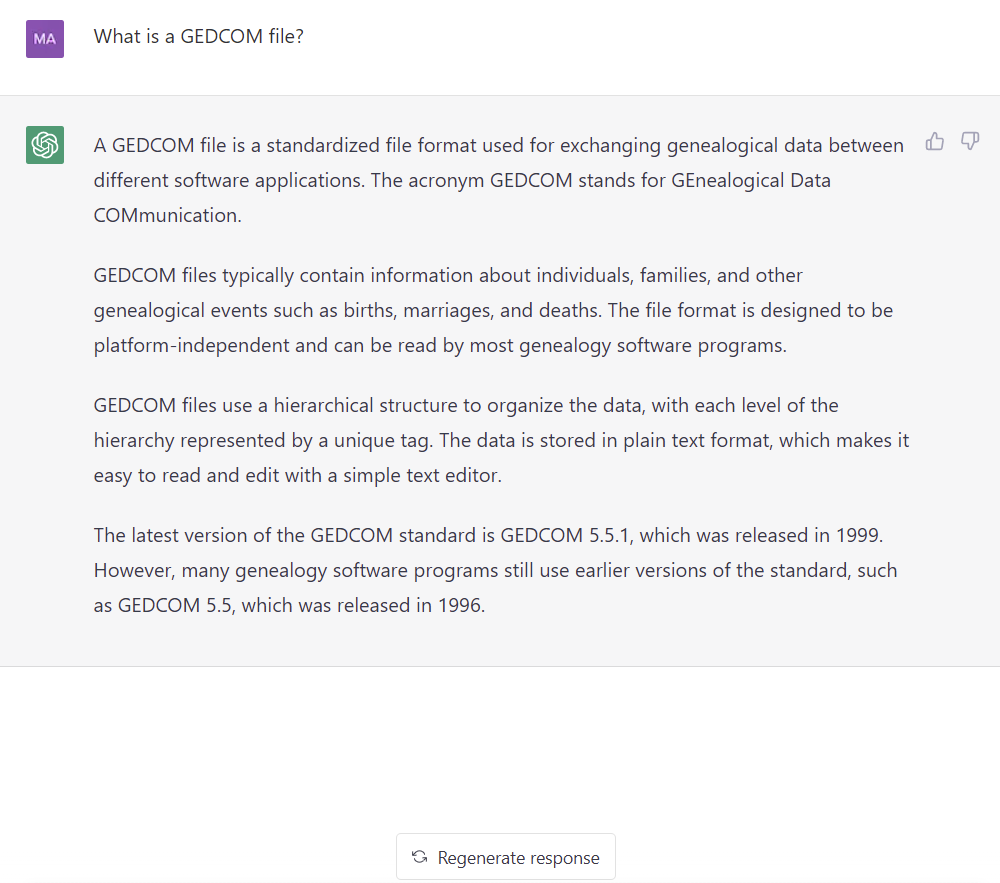
GEDCOM (Genealogical Data Communication) is a file format used to exchange genealogical data between different genealogy software programs. It is a standard format for saving family tree data, and it allows users to transfer their family tree data from one program to another.
GEDCOM files are saved with the extension “.ged” and are made up of text-based data that includes information about individuals, families, and events such as births, marriages, and deaths. The data is organized in a hierarchical format, with each record containing information about a single individual or event.
GEDCOM files can be used to create family trees, research family history, and share information with other genealogists. They are widely used by genealogy software programs and online genealogy databases. For example, you can export a GEDCOM from your family tree program or download a GEDCOM from Ancestry.com.
NOTE: DO NOT ENTER PRIVATE OR SENSITIVE DATA INTO ChatGPT. Your data is used for training, and is reviewed by OpenAI to verify that content complies with their policies and safety requirements. They may be used for training purposes.
I asked ChatGPT what it knew about GEDCOMs with prompts: What is a GEDCOM file? What is the GEDCOM standard? What are the fields in the GEDCOM standard?
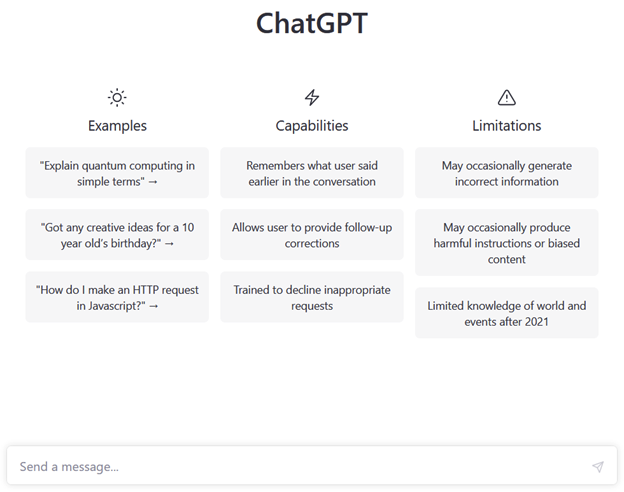
ChatGPT answered reasonably well, except that it confidently stated the latest version of GEDCOM being used was 5.5.1. This is understandable because ChatGPT’s training ended in 2021. (As of the writing of this blog post, the current version is 7.0. For more information see the FamilySearch wiki entry for GEDCOM.)
Knowing that ChatGPT was using GEDCOM 5.5.1 was not a problem for these experiments.
Creating a GEDCOM
I would not choose to build a GEDCOM in this manner, but I could see how entering a narrative about ancestors into the prompt and let ChatGPT build the relationships from written language could be helpful. Beginning a family tree or adding a separate branch could be done by ChatGPT, then imported into a family tree program.
Investigating how effective ChatGPT was at creating a simple GEDCOM, I asked it to:
Create a GEDCOM file for James Charles McMahon, born 10 Oct 1920, father Joseph Francis McMahon, mother was Ella Small.
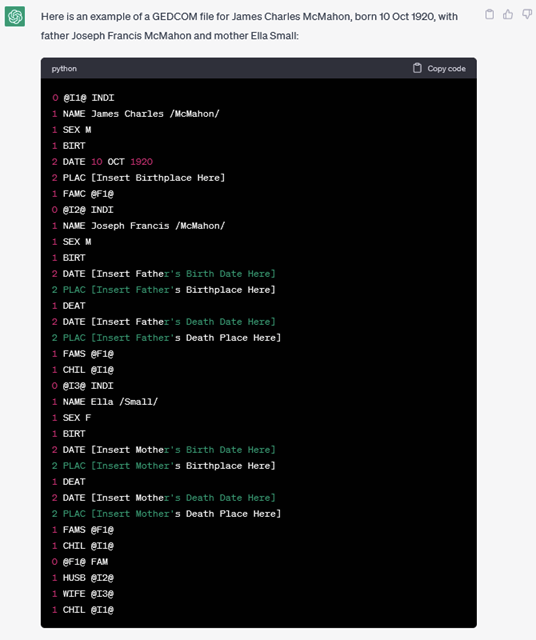
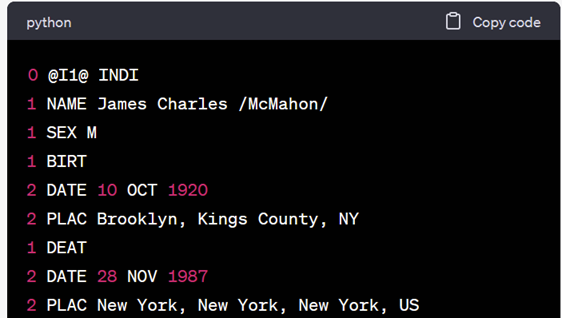
ChatGPT extracted the information from my request and filled in the fields. I only asked for a simple GEDCOM file, and had been very specific in what details to include. ChatGPT did fine with this request. You can see the button to copy the code so that I could store it in a file with a .ged extension that would be usable by a family tree program that conformed to the GEDCOM specification. In fact, it even warned me:

By the way, the clipboard next to the response lets a user copy the whole response so that a user can paste the response into the document of their choice. When clicked, the clipboard turns into a checkmark momentarily, then returns to being a clipboard. The thumbs up and thumbs down allow a user to provide additional feedback. If the feedback is thumbs down, another version of the reply is generated and a user has the opportunity to share whether the new one or previous response is better, or if they were the same. Giving feedback is always optional.

NOTE: This is a representation of an individual in a GEDCOM format and is not a file that can be directly imported into a family tree program. The header and footer information is not present, however, I could give ChatGPT that information and ask it to update the GEDCOM to include it.
I tried again with a new prompt that contained more details about the person’s life:
Create a GEDCOM file for James Charles McMahon, born 10 Oct 1920 in Brooklyn, Kings County, NY, father Joseph Francis McMahon, mother was Ella Small. James Charles McMahon died on 28 Nov 1987 in New York, New York, New York, US.
The response was filed the additional data correctly into the GEDCOM:
Using the GEDCOM as input to a family tree program
I asked for the file in a couple of different ways, but ChatGPT gave me only the section of the file for an individual. Rootsmagic had problems with importing this and creating a family tree, but after a little experimentation, I found that was because the was missing the header and trailer information. This was quickly remedied by editing the file.
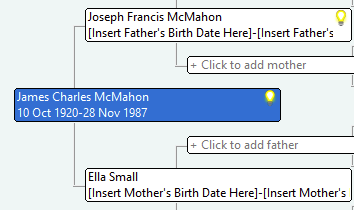
It was interesting how the placeholder text for the birth and date information for the individual’s mother and father was inserted into the GEDCOM to be interpreted by the program. Of course, this could be fixed later in the conversation by asking for an updated GEDCOM with this information. As the chat went on, I also gave ChatGPT their marriage information and asked it to update the GEDCOM.
Creating a narrative from a GEDCOM
For my next experiment, I copied the second GEDCOM that ChatGPT had generated and fed it back into the prompt, asking:
Write a narrative for James Charles McMahon given his GEDCOM information:
0 @I1@ INDI
1 NAME James Charles /McMahon/
1 SEX M
[the rest of the file is not shown for brevity]
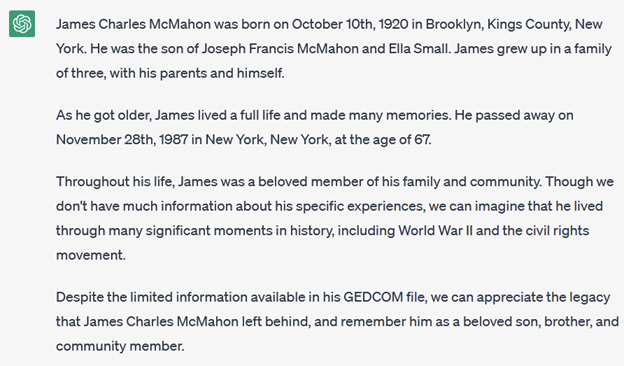
ChatGPT had learned details from our previous conversation, and inserted details about the individual learned from previous GEDCOMS. Starting the request in a new conversation brought its knowledge about the individual back to the nothing and the story included only the information from the prompt.
Of course, ChatGPT only uses what I told it. In reality, this individual was not an only child. Interestingly, after it writes that he grew up in a family of three, with himself and his parents, he was depicted as a beloved brother. This is due to large language models relying on their training to build the next part of their output.
Next, I checked if the format of the input mattered to ChatGPT, and made the GEDCOM data into one continuous stream, rather than distinct lines, in my prompt:
Write a narrative for James Charles McMahon given his GEDCOM information:
0 @I1@ INDI 1 NAME James Charles /McMahon/ 1 SEX M [the rest of the file is not shown for brevity]
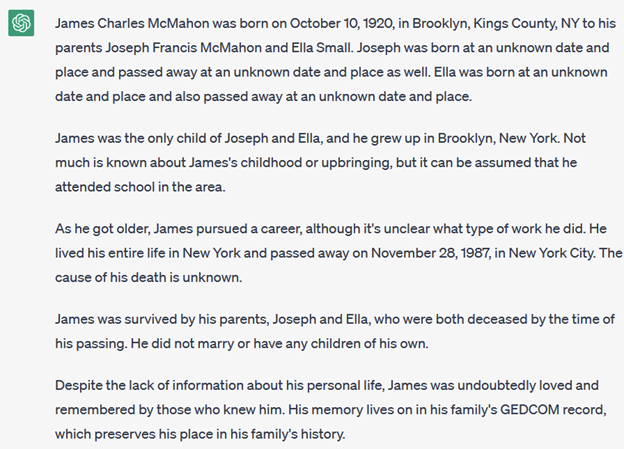
ChatGPT did not need lines of the file to be formatted; it interpreted the data correctly then wrote a narrative. (This is also true when entering data from a table into the prompt.) Without information about the individual’s parents death, the model built the text that they survived him, and in the same sentence that they were deceased before his passing. ChatGPT can appear to loose its mind, so always proofread any output before using it.
Next, I carved out the lines for this individual from a GEDCOM that had been exported from a family tree program, complete with source citations embedded in the code. This text was used it as input to ChatGPT, and I asked it again to write a narrative from the GEDCOM. ChatGPT was successful in capturing the details it knew. It also created some generalizations like: “Throughout his life, James was a beloved member of his family and community.” It also added context without being prompted: “Though we don’t have much information about his specific experiences, we can imagine that he lived through many significant moments in history, including World War II and the civil rights movement.”
The tales that ChatGPT weaves from a user’s input can be a combination of technically accurate and fanciful. The facts that are input can be woven into a smoother and grammatically correct output. Any additional text that ChatGPT generates or additional contextual content it adds does need to be verified. ChatGPT is a generative language model that creates sentences without judgement, and those facts are presented as correct. (Always check the details that ChatGPT adds, as it may “hallucinate”!)
ChatGPT generates text with an optimistic tone. The tales do all seem to end on a positive note, reminding me of appending “and a good time was had by all” to a story.
As with any tool, how we used the output matters. ChatGPT has the flexibility to regenerate a response to our prompt, and we have the ability to edit the text as we see fit. This tool could be helpful to a genealogist trying to get started on that family history they have been planning to write. ChatGPT can help someone get around a writer’s block by providing a starting place. It can also proofread what you generate. All you have to do is ask.
It was instructive to see how the narrative text that was put into the prompt was translated into lines in the GEDCOM file. I enjoyed peaking under the hood of the implementation that is at the heart of family tree programs.
Let me know how you do, and send along any questions.
ChatGPT May 3 Version was used for these experiments. Expect ChatGPT to change over time as the technology matures.
Please check out other posts about ChatGPT and Artificial Intelligence: