RootsTech 2017 Videos and Syllabi

Rootstech 2017 has come and gone, but we can all still enjoy it!

Have you wanted to watch the videos and download the syllabi from RootsTech 2017? Whether or not you attended this year’s RootsTech, watching the videos is educational and the syllabi can be a great resource.

To watch the videos for each day of RootsTech, go to:

https://www.rootstech.org/videos-wed

https://www.rootstech.org/videos-thu

https://www.rootstech.org/videos-fri

https://www.rootstech.org/videos-sat

You can also switch between the days by using the menu in the upper right corner of the webpage.

(2016 videos can be found at: https://www.rootstech.org/videos.)

The syllabi are not posted on the RootsTech website; you will need to use an app to access them. The good news is that will stay available indefinitely on that app. The better news is that you can view the app on a webpage: http://app.core-apps.com/rootstech2017/
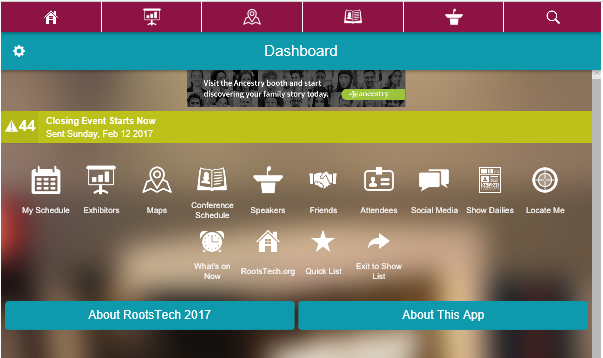


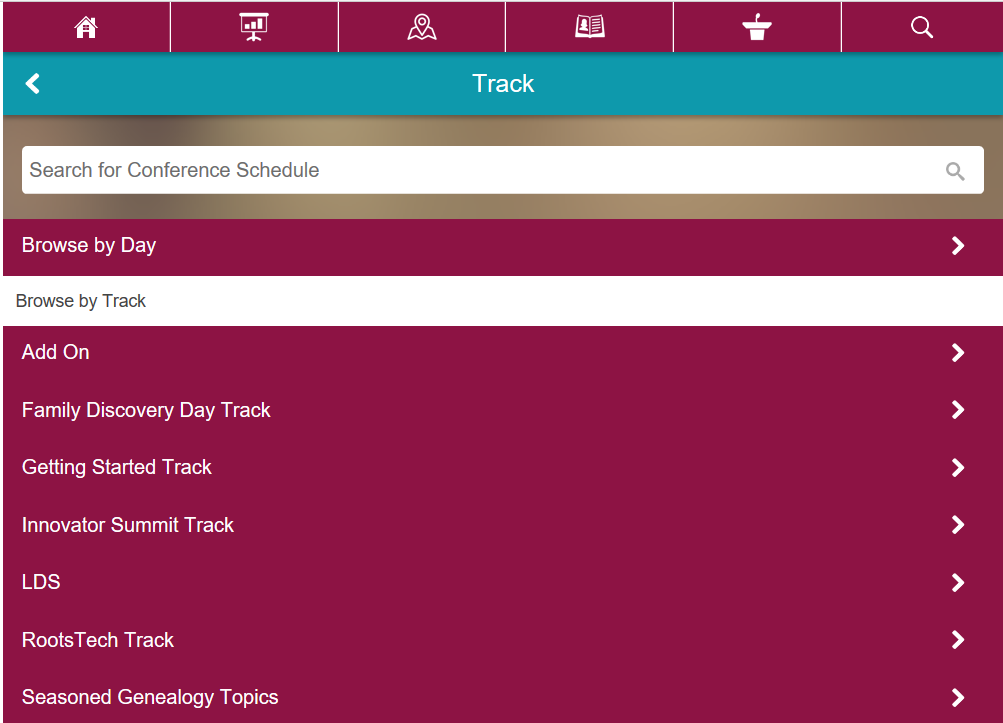
Click on Conference Schedule. From there, you can browse by Day or by Track.


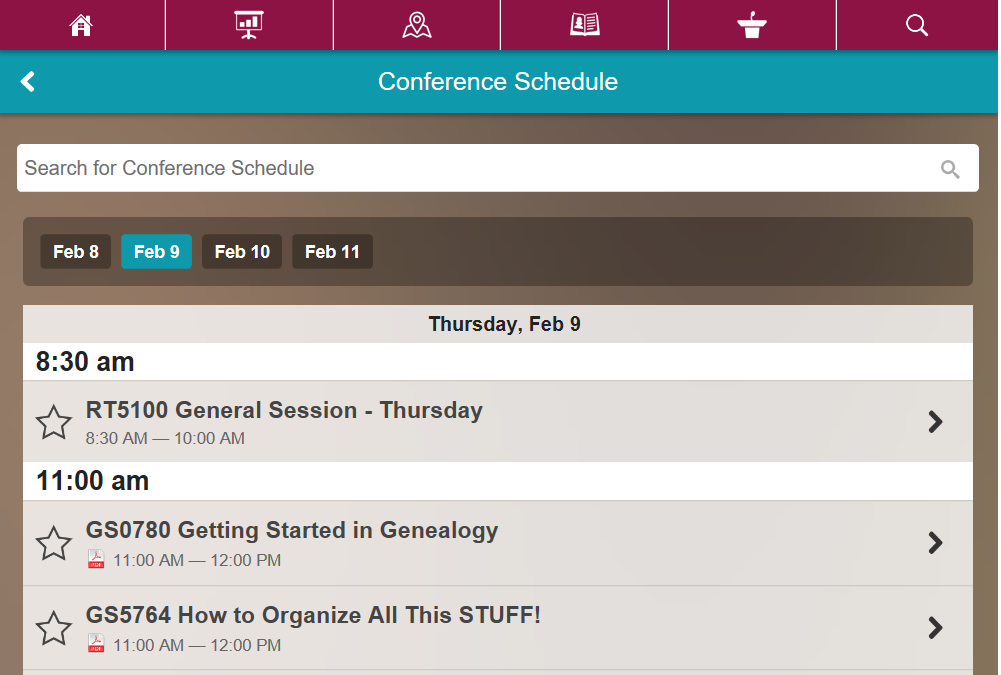
After you select the way you want to view the sessions, you will see the lists of sessions.

Look at the star next to the title of the class. If there is a PDF icon to the right of the star, then the speaker did provide a syllabus for the class.


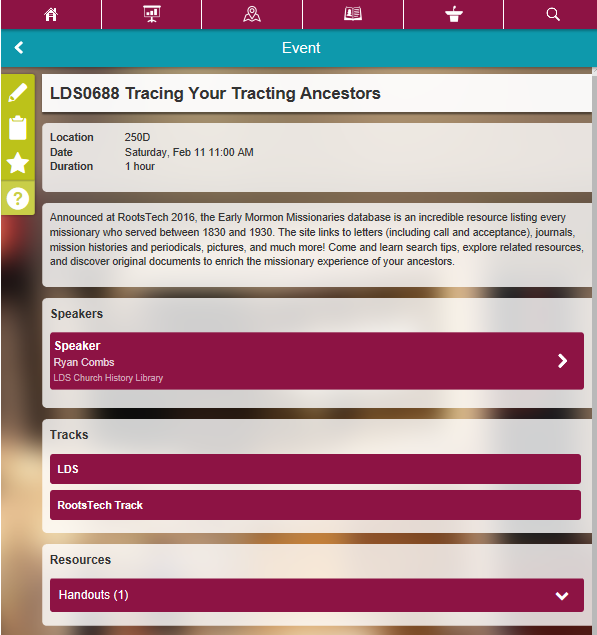
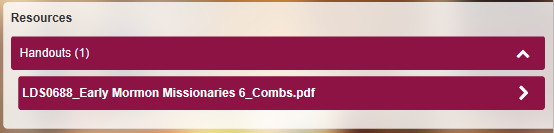
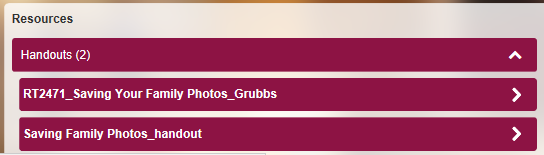
Click on the arrow to the right to view the information for the session and scroll to the bottom. At the bottom is a Resources section, you will see the “Handouts”. Click on the arrow next to Handouts to view the titles of the handouts.


Click on the title and the PDF opens up. You can read, print or save the handout (syllabus).


If there is more than one handout, use the browser’s back arrow to repeat the process, clicking on the second handout.


When I wrote to the folks at RootTech tech support, they responded that the handouts (syllabi) will be posted online soon. But you do not have to wait until they are!

Save

Save

National Archives Virtual Genealogy Fair

Are you looking for an easy way to learn about using the National Archives? Would you like to know more about researching your genealogy at NARA?

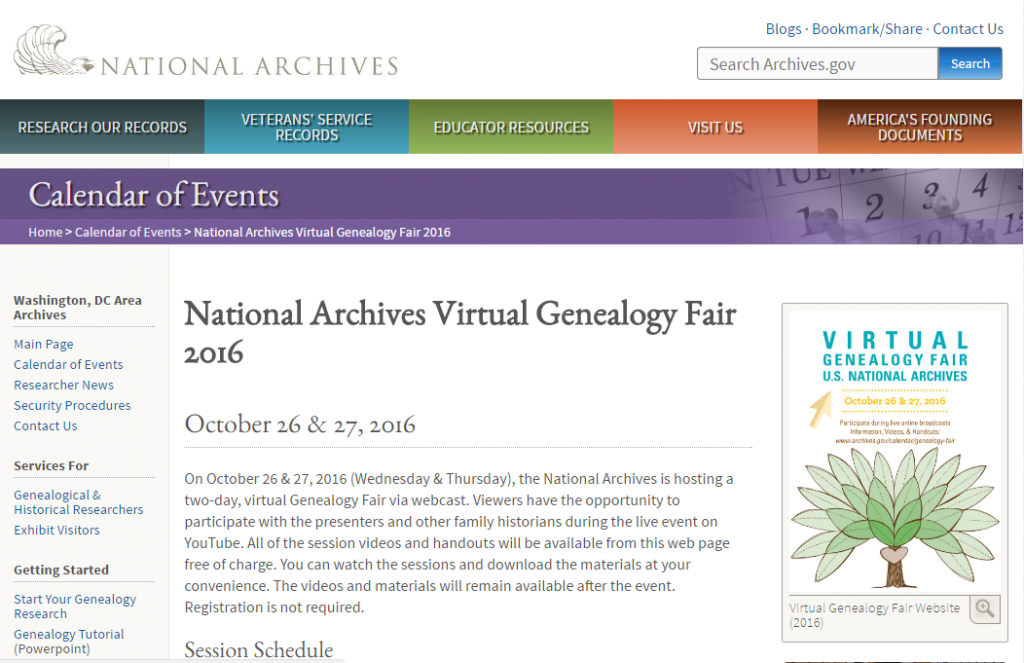
The 2016 National Archives Virtual Genealogy Fair has come and gone, but the videos have been posted on YouTube, and the handouts are still available. You can learn directly from NARA personnel in the videos and have the handouts for reference.

Check out the 2016 National Archives Virtual Genealogy Fair webpage for the topics and links to the videos and handouts. You can follow the links on that page to watch presentations from both days on YouTube.


You can also download the handouts.

But wait…there’s more! You can access the videos and handouts for the 2015 Archives Virtual Genealogy Fair.

From that webpage you can follow the links to view the Sessions Videos and Handouts. This page also contains links to information about the 2013 and 2014 Virtual Genealogy Fairs.

So, check out the presentations and attend sessions from a NARA Virtual Genealogy Fair right in your own home!

Save

Save

Family History Outing: U.S.S. Midway

If you have a U.S. Navy or U.S. Marine Corps ancestor, the chances are he or she may have spent some time on an aircraft carrier. They might have been stationed on, landed on, refueled, resupplied or protected a carrier.


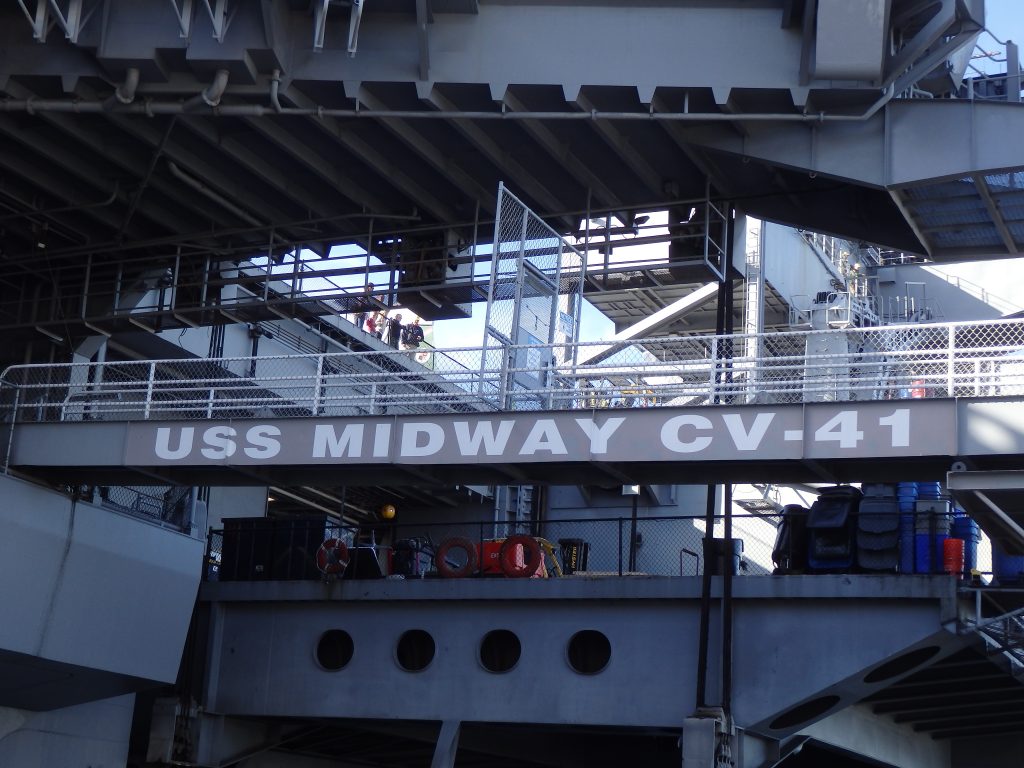
Touring the U.S.S. Midway Museum in San Diego, CA, brought some of our family’s history to life.
Our family has some carrier history. In addition to having an uncle and cousin who served on carriers, my husband landed on one.


My husband was a Naval Aviator in the USMC, flying A-4s. His service included qualifying to land on carriers. My son had seen videos, pictures and models of the A-4. Seeing a real one on the deck of the Midway was much more real. It was a chance for my husband to show him around the plane and put context to the stories of getting into the airplane without a ladder.


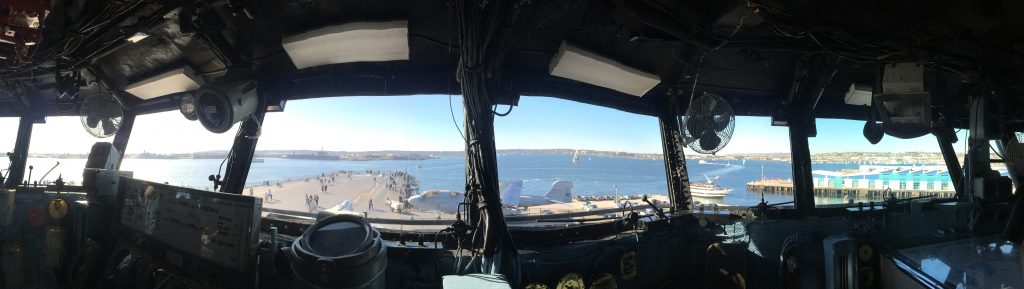
The experience included standing on a flight deck and climbing up to stand on vulture’s row, and sitting in the chairs occupied by the air boss and commanding officer.


The launch officer signals when to fire the catapult to send an accelerating aircraft from the deck.


The hangar deck was full of airplanes; airplane cockpits and ejection seats to sit in; and exhibits to explore.

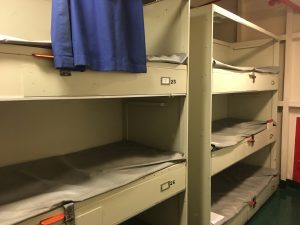
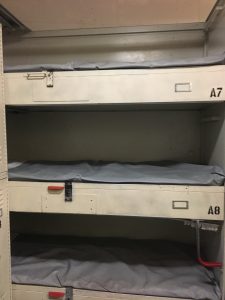
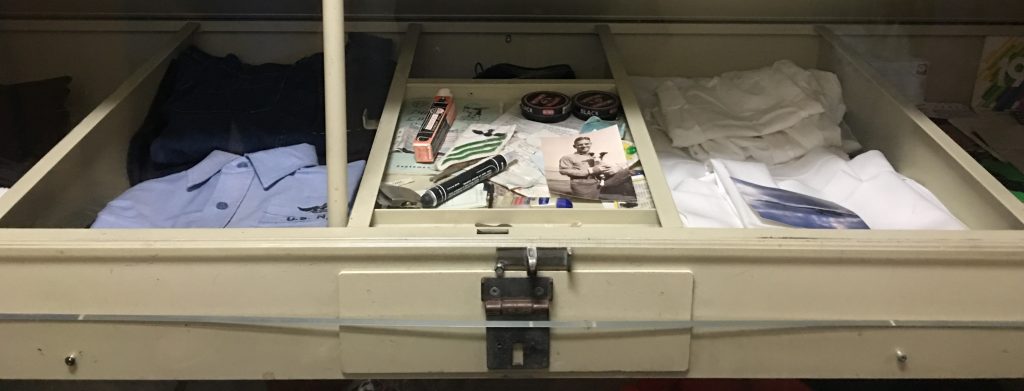
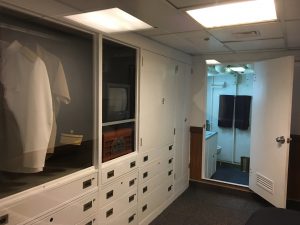
The carrier is a city at sea. In addition to the sleeping accommodations from the lowest ranked seaman to the captain, the walking tour takes you through the chapel, medical offices, laundry, galley, eating messes and gedunk (ship store).

My cousin died on July 29, 1967 in the fire on the U.S.S. Forrestal (CV-59). He was one of the fifty men who died in the berthing space immediately below the flight deck. They had participated in night operations and had been given permission to sleep in. He was assigned to VF-11. He died in the berthing spaces, while he slept. You can view a Virtual Wall: A Memorial to the men who died in the Forrestal fire .
As part of my systems engineer certificate training, the video of the fire on the carrier’s deck was required viewing.


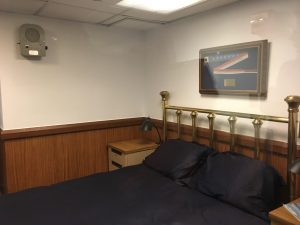
This berthing can be contrasted with where the Captain sleeps.


Strategy to make the most of your trip:

  • Research your U.S. Navy ancestors
  • Know their ranks
  • Learn their jobs on the carrier
  • Visit all the locations, but be sure to identify and photograph typical berthing, where they ate and worked
  • Share what you learned with your family in pictures, a pdf document or web page

Save

Save

Save

Save

Save

Save

Save

Save

Save

Sales on DNA Tests and Our Books

Happy Thanksgiving!

If you have been waiting to do your Autosomal DNA, now may be the time! The atDNA tests are on sale. (I have not seen a Black Friday price for 23andMe, and although the database is large, it may be that the other people in it may be more focused on the health aspect of the testing rather than genealogy.)

Family Tree DNA Holiday Sale

The annual Family Tree DNA Holiday Sale is offering the Family Finder/Ethnic Percentages for $59. They are also offering  bundles that combine Family Finder and Y-DNA and mitochondrial tests.
https://www.familytreedna.com/products.aspx

Ancestry.com Holiday Sale

The Ancestry Insider Blog (http://www.ancestryinsider.org/2016/11/ancestrydna-30-sale.html) gives details about the Ancestry.com test being on sale for $69 from 25 November to 28 November 2016. From 29 November to 14 December 2016 they are offering it for $89.
http://www.Ancestry.com/DNAgift

When Choosing A Company

Here are some things to consider when choosing a company for autosomal DNA testing

Testing at Ancestry.com:

  • The database has over 2,000,000 people (23andMe has 1,000,000 and FTDNA has almost 830,000)
  • You can attach your results to your tree
  • You can see your matches, but you cannot examine the details of the individual matching chromosomes
  • While you can transfer your results from Ancestry.com to FTDNA, there is a fee to see the matches

Testing at Family Tree DNA:

  • The tools at FTDNA to see chromosomes are good
  • You can upload your family tree to the website

No matter where you test:

  • Consider transferring your results to GEDMatch.com to match with people who have tested elsewhere
  • GEDMatch has good tools for chromosome data

Our Books are on Sale for Black Friday / Cyber Monday

Our books “A Week of Genealogy” and “A Weekend of Genealogy” are on sale for Black Friday/Cyber Monday. To receive a 25% discount, use the links at https://aweekofgenealogy.com/sale-on-books and remember to use code 44RZVNZD when you check out.

A Week of Genealogy on Facebook

To get more frequent updates, please like our Facebook Page. Check it out at: https://www.facebook.com/AWeekofGenealogy.

Get Your Irish Civil Records Online!

If you have Irish ancestors, you need to be using the Civil Records at IrishGenealogy.ie This website will be a major boon to your research. Using this website, I was able to look up and download records that would have cost quite a bit to order from overseas.

The Civil Records that are online are:

  • Births: 1864 to 1915
  • Marriages: 1882 to 1940
  • Deaths: 1891 to 1965

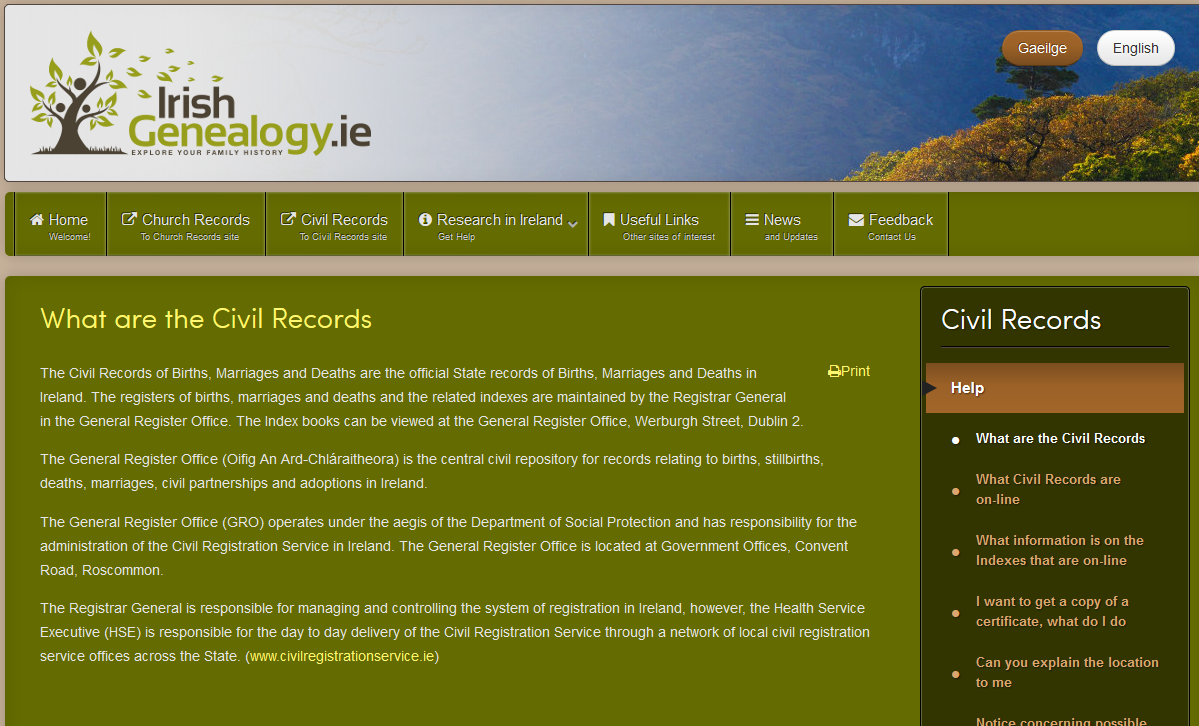
A good place to start is the page about the Civil Records:

https://www.irishgenealogy.ie/en/civil-records/help/what-are-the-civil-records


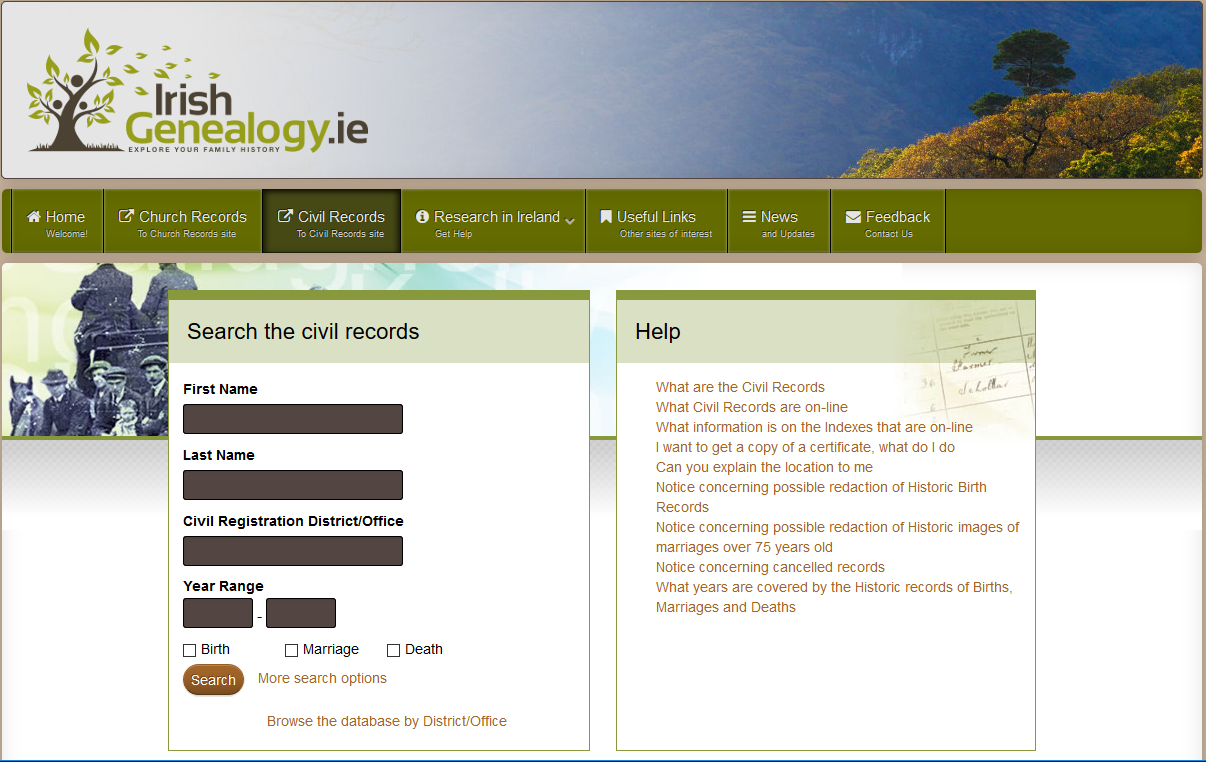
irish-civil-1


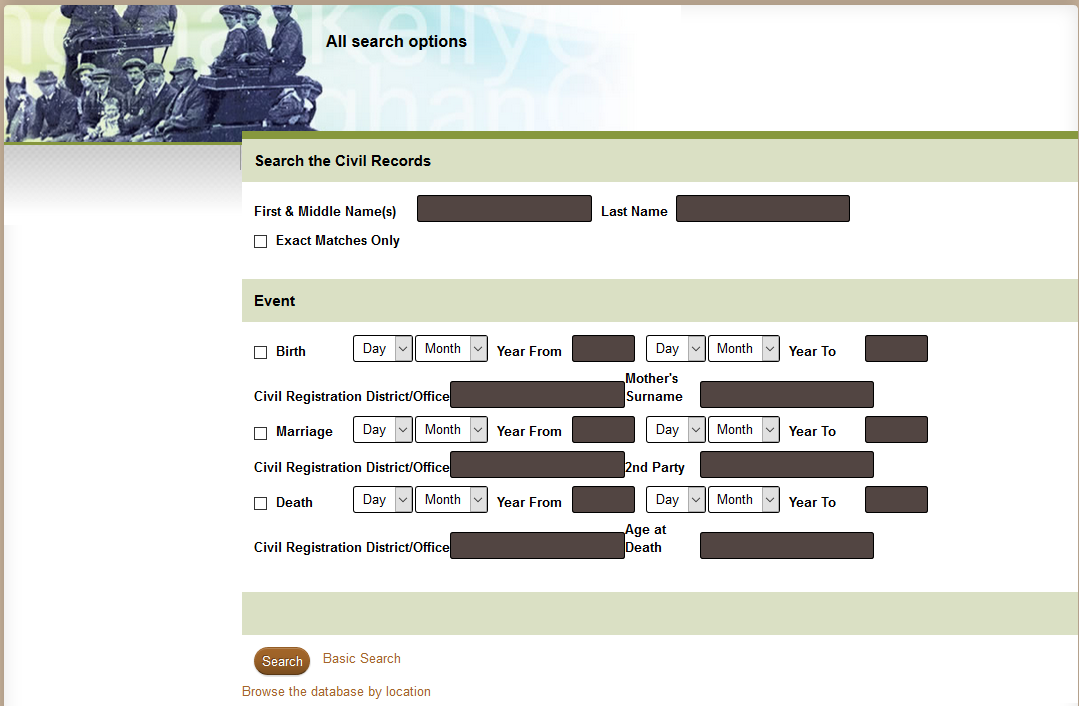
To search, go to https://civilrecords.irishgenealogy.ie/churchrecords/civil-search.jsp


irish-civil-2


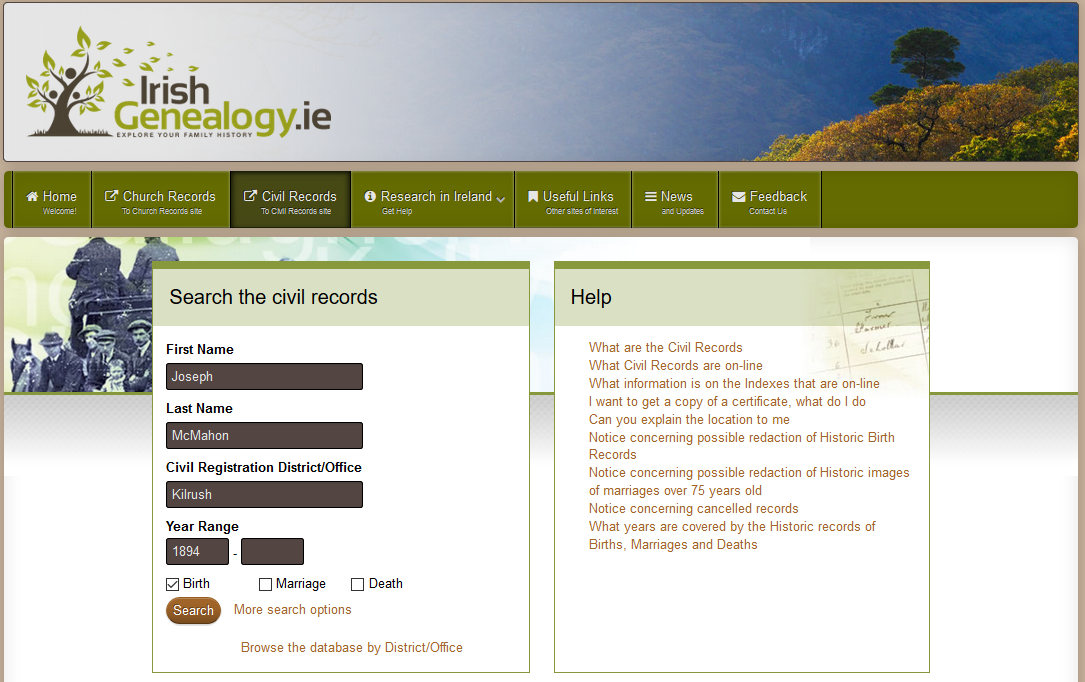
Give the simple search form a try. In fact, I found this form to be the most useful.

The first thing I did was to download the images for my Grandfather’s and his siblings birth records. I knew the Civil Registration District/Office, and their dates of birth. The children were born between 1882 and 1902.

When you begin to type into that field a drop down menu appears. You can always leave that field blank to search all the counties.


irish-civil-3


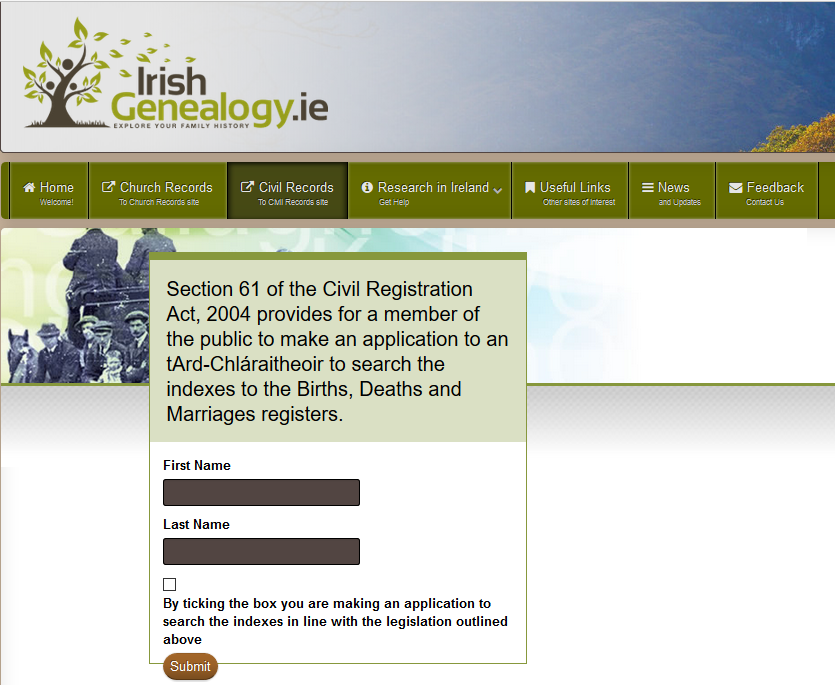
After pressing the Search button, I had to check a box to prove that I was not a robot.

Then I had to give my name to search the archives.


irish-civil-4


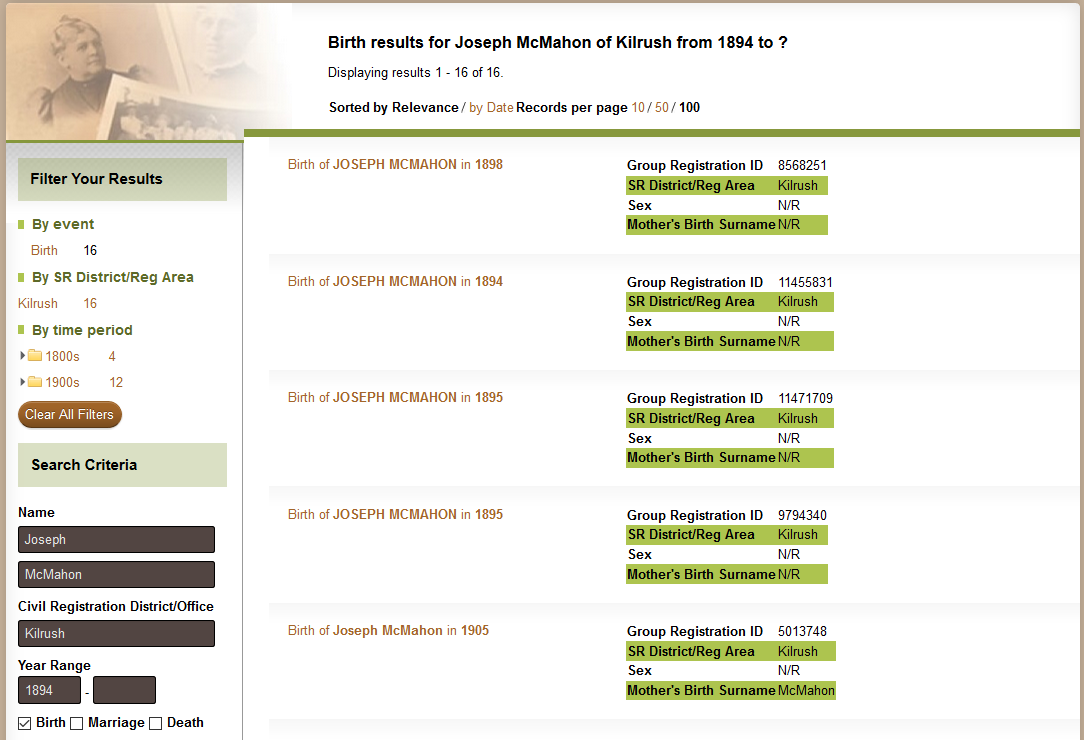
When I used 1894 with no end to the range, the results ranged from 1894 through to the last year of the database.


irish-civil-5


The records before 1900 did not have the Mother’s Birth Surname indexed. From 1900 on, the search results show the Mother’s Birth Surname.

You can select “More search options” to use additional search options.

The additional search options restrict the search.


irish-civil-7


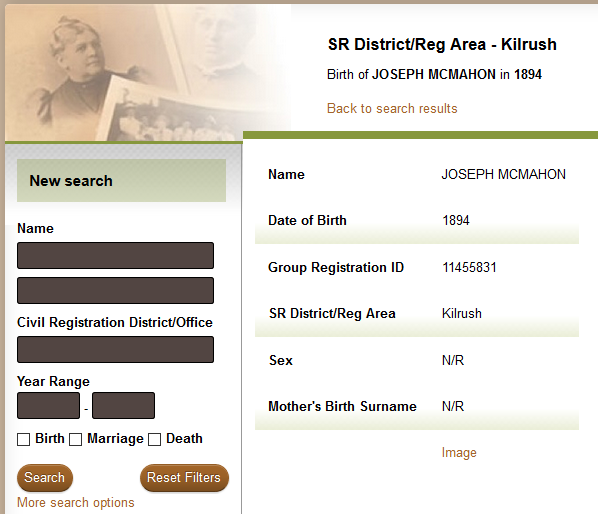
I clicked on the result that was my Grandfather’s.


irish-civil-8


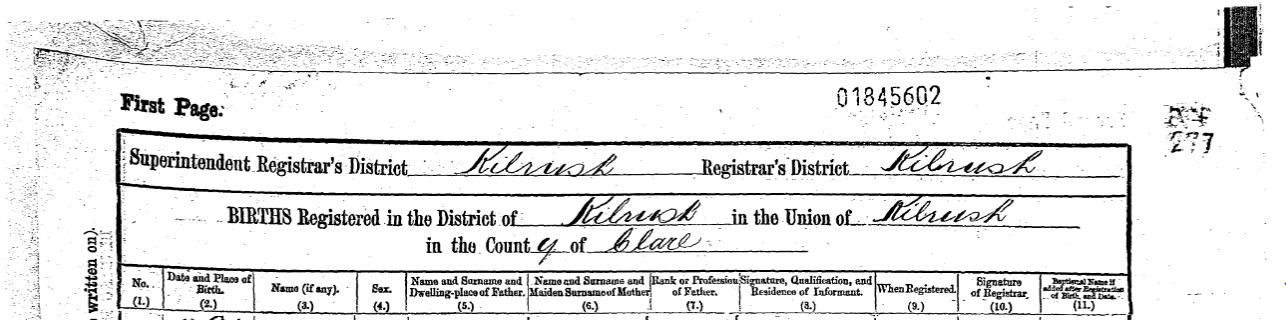
I clicked on the image button to see the whole page of the register.


irish-civil-9


My Grandfather was listed as entry number 59. The section on the right was used for comments in other entries.


irish-civil-10


For one of his siblings there was an image of the record, and the certified record.

Then I downloaded his Mother’s birth record.

Next came his parent’s marriage record. For the end of the session, I downloaded the death record for his Father and Sister.


A Broader Search

For some ancestors, their county of birth is not yet known. I left the District/Registration field blank. I can now search each record to see if I could find the ancestor.


irish-civil-11


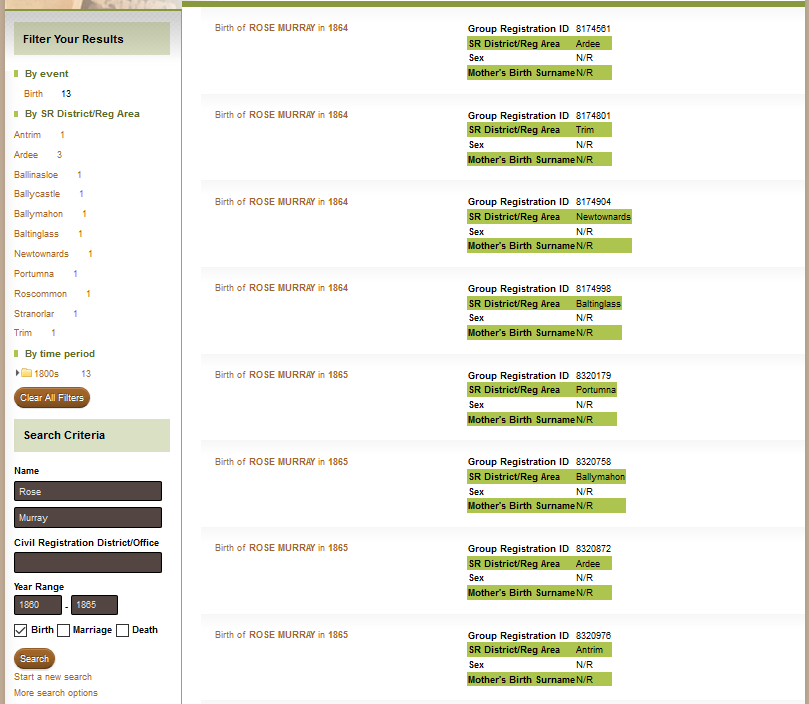
I knew the ancestor’s mother’s name from her death certificate, so I searched a timeframe around her birth year. There were two birth records that matched the mother’s name. One of those two had a father’s name that matched the name of one of her sons. However, he son’s father had the same name, so it is not firm evidence.


irish-civil-12


There is more work to be done, but this is a good lead. I am going to review my atDNA test results to see if any clues are hiding in the matches.

An interesting article by John Grenham can be found here: https://www.johngrenham.com/blog/2016/10/03/roadmap-of-the-promised-land/

Give this a try, and let me know how you do!

Save

Save

Save

The Family History Guide: A Review

You have heard that there are websites on the Internet that can help you with your research. You have probably found some of them. Wouldn’t it be great if there was someone who could show you, step-by-step, where to find help when you need it? Could you benefit from a guide who would point you to good websites where you learn about a specific family history topic, or even about computer basics? You can find such a guide for the web, in The Family History Guide.


familyhistoryguide - 1


The Family History Guide was launched in July 2015 as an instructional website that organizes family history resources together so that you can start your research and go directly to the best information on the web.

On the home page there are links to the Introduction; Projects; and Training (about The Family History Guide). A good place to start is on the Introduction Page.


familyhistoryguide - 2


I recommend that you view “The Family History Guide Quick Tour” (left) for an overview of how to use the website. You can also find links to webinars on this page. You can view past issues of the FHG Newsletter including information about subscribing.

When you are ready, you can click on the menubar to go to the Projects area. There are eight projects to explore, and goals within these topics. The projects are: Family Tree (for the FamilySearch Family Tree); Memories; Descendancy Research; Discover; Indexing (for FamilySearch); Help; Tech (to learn about using Technology in genealogy); and DNA. Each project contains goals, which are sections that contain links to resources on the web. You may be interested all or some of goals within a project. From the menubar you can also select a link to find resources for Children.


familyhistoryguide - 3


The Topics Page, which can be reached by a link on the left side of the Projects pages, shows you a linked index to the topics that are covered in The Family History Guide.

This Guide is good for experienced as well as beginning genealogists. The links to resources are well organized within each project. I especially liked Project 4: Discover. You will find links to in-depth resources for geographic-based and ethnic research.  Several geographic locations are on the menu; for others you will have to view the submenu to find out which countries are covered. The QUIKLinks on the left side of the these pages send you to websites that have the records.


familyhistoryguide - 4


You will find this a worthwhile website to explore. To get the most out of using the Family History Guide, take the time to understand the navigation. Think of a topic you need help with or want to know more about. Then check out the resources for that topic from the menubar, or the Topics page, and follow your guide.

Note: You will find several posts from A Week of Genealogy included in the resources.

Save

Save

Save